How to install the new 512 resolution version? #163
Assignees
 CalvinBackup (Calvin Backup)
Clear assignees
CalvinBackup (Calvin Backup)
No Assignees
Notifications
Due Date
No due date set.
Dependencies
No dependencies set.
Reference: CalvinBackup/neuralchen-SimSwap#163
Reference in new issue
Block a user
For people who use Windows and Anaconda:
I'm not sure, if we need to make a new environment and there are also other installation steps?
Please explain or add a step-by-step guide to help others, thanks ahead!
I've tried to follow the 512 preparation, fresh environment and downloaded the latest .ZIP of SimSwap

When I run the example of the multi using the new "--crop_size 512" I get this error:
I've tried:
pip install model_zooI get this:
"Requirement already satisfied"I also tried:
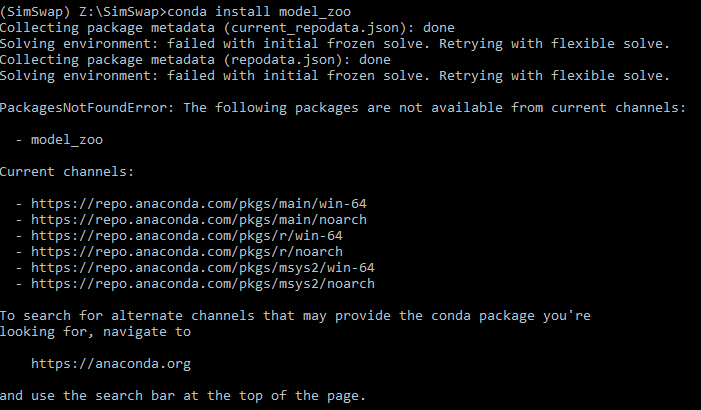
conda install model_zooand I get this:
Anyone can please explain how to successfully make the new SimSwap with 512 resolution support on Windows 10 + Anaconda ?
Thanks ahead!
Bump this
Follow the directions they posted, it took under a minute to update mine to get it working.
Download the 512.zip and unzip to the checkpoints folder.
Add
--crop_size 512to your command line.Done, if you like the old way better change
--crop_size 512back to--crop_size 224Agreed. Couldn't have been easier. Not sure why people are creating new environments when they have a working version..
Hi, you dont need to create a new environment, the old one should be fine. And you dont need to overwrite the old SimSwap checkpoints, just download the 512.zip and unzip it in ./checkpoints. And follow the instruction in section "About using Simswap 512 (beta version)" in https://github.com/neuralchen/SimSwap/blob/main/docs/guidance/usage.md can do the magic with Simswap 512.
You can use the exsisting environment.
I've just downloaded the new version to another directory.
Environment path is for example c:\user\anaconda\simswap
e.g
old version : conda activate simswap -> cd c:\simswap -> then run the commandline (old repo)
new version: conda activate simswap -> cd c:\simswap512 -> then run the commandline (new repo)