mirror of
https://github.com/Ed1s0nZ/CyberStrikeAI.git
synced 2026-05-17 13:43:31 +02:00
Compare commits
16 Commits
| Author | SHA1 | Date | |
|---|---|---|---|
 公明 公明
|
60e3795322 | ||
|
公明
|
28ca7f1851 | ||
|
公明
|
14e9b986b0 | ||
|
公明
|
dccbb80fa4 | ||
|
公明
|
3043232937 | ||
|
公明
|
2aeb2705e9 | ||
|
公明
|
6bd558cbd4 | ||
|
公明
|
71abfb2384 | ||
|
公明
|
d3f6a87448 | ||
|
公明
|
2076266844 | ||
|
公明
|
42293a9f49 | ||
|
公明
|
92580bebd5 | ||
|
公明
|
23fd79d50d | ||
|
公明
|
5216cebb2f | ||
|
公明
|
e55dd0265e | ||
|
公明
|
d550853b56 |
@@ -33,7 +33,7 @@ CyberStrikeAI is an **AI-native security testing platform** built in Go. It inte
|
||||
## Highlights
|
||||
|
||||
- 🤖 AI decision engine with OpenAI-compatible models (GPT, Claude, DeepSeek, etc.)
|
||||
- 🔌 Native MCP implementation with HTTP/stdio transports and external MCP federation
|
||||
- 🔌 Native MCP implementation with HTTP/stdio/SSE transports and external MCP federation
|
||||
- 🧰 100+ prebuilt tool recipes + YAML-based extension system
|
||||
- 📄 Large-result pagination, compression, and searchable archives
|
||||
- 🔗 Attack-chain graph, risk scoring, and step-by-step replay
|
||||
@@ -65,35 +65,40 @@ CyberStrikeAI ships with 100+ curated tools covering the whole kill chain:
|
||||
|
||||
## Basic Usage
|
||||
|
||||
### Quick Start
|
||||
1. **Clone & install**
|
||||
```bash
|
||||
git clone https://github.com/Ed1s0nZ/CyberStrikeAI.git
|
||||
cd CyberStrikeAI-main
|
||||
go mod download
|
||||
```
|
||||
2. **Set up the Python tooling stack (required for the YAML tools directory)**
|
||||
A large portion of `tools/*.yaml` recipes wrap Python utilities (`api-fuzzer`, `http-framework-test`, `install-python-package`, etc.). Create the project-local virtual environment once and install the shared dependencies:
|
||||
```bash
|
||||
python3 -m venv venv
|
||||
source venv/bin/activate
|
||||
pip install -r requirements.txt
|
||||
```
|
||||
The helper tools automatically detect this `venv` (or any already active `$VIRTUAL_ENV`), so the default `env_name` works out of the box unless you intentionally supply another target.
|
||||
3. **Configure OpenAI-compatible access**
|
||||
Either open the in-app `Settings` panel after launch or edit `config.yaml`:
|
||||
```yaml
|
||||
openai:
|
||||
api_key: "sk-your-key"
|
||||
base_url: "https://api.openai.com/v1"
|
||||
model: "gpt-4o"
|
||||
auth:
|
||||
password: "" # empty = auto-generate & log once
|
||||
session_duration_hours: 12
|
||||
security:
|
||||
tools_dir: "tools"
|
||||
```
|
||||
4. **Install the tooling you need (optional)**
|
||||
### Quick Start (One-Command Deployment)
|
||||
|
||||
**Prerequisites:**
|
||||
- Go 1.21+ ([Install](https://go.dev/dl/))
|
||||
- Python 3.10+ ([Install](https://www.python.org/downloads/))
|
||||
|
||||
**One-Command Deployment:**
|
||||
```bash
|
||||
git clone https://github.com/Ed1s0nZ/CyberStrikeAI.git
|
||||
cd CyberStrikeAI-main
|
||||
chmod +x run.sh && ./run.sh
|
||||
```
|
||||
|
||||
The `run.sh` script will automatically:
|
||||
- ✅ Check and validate Go & Python environments
|
||||
- ✅ Create Python virtual environment
|
||||
- ✅ Install Python dependencies
|
||||
- ✅ Download Go dependencies
|
||||
- ✅ Build the project
|
||||
- ✅ Start the server
|
||||
|
||||
**First-Time Configuration:**
|
||||
1. **Configure OpenAI-compatible API** (required before first use)
|
||||
- Open http://localhost:8080 after launch
|
||||
- Go to `Settings` → Fill in your API credentials:
|
||||
```yaml
|
||||
openai:
|
||||
api_key: "sk-your-key"
|
||||
base_url: "https://api.openai.com/v1" # or https://api.deepseek.com/v1
|
||||
model: "gpt-4o" # or deepseek-chat, claude-3-opus, etc.
|
||||
```
|
||||
- Or edit `config.yaml` directly before launching
|
||||
2. **Login** - Use the auto-generated password shown in the console (or set `auth.password` in `config.yaml`)
|
||||
3. **Install security tools (optional)** - Install tools as needed:
|
||||
```bash
|
||||
# macOS
|
||||
brew install nmap sqlmap nuclei httpx gobuster feroxbuster subfinder amass
|
||||
@@ -101,15 +106,18 @@ CyberStrikeAI ships with 100+ curated tools covering the whole kill chain:
|
||||
sudo apt-get install nmap sqlmap nuclei httpx gobuster feroxbuster
|
||||
```
|
||||
AI automatically falls back to alternatives when a tool is missing.
|
||||
5. **Launch**
|
||||
```bash
|
||||
chmod +x run.sh && ./run.sh
|
||||
# or
|
||||
go run cmd/server/main.go
|
||||
# or
|
||||
go build -o cyberstrike-ai cmd/server/main.go
|
||||
```
|
||||
6. **Open the console** at http://localhost:8080, log in with the generated password, and start chatting.
|
||||
|
||||
**Alternative Launch Methods:**
|
||||
```bash
|
||||
# Direct Go run (requires manual setup)
|
||||
go run cmd/server/main.go
|
||||
|
||||
# Manual build
|
||||
go build -o cyberstrike-ai cmd/server/main.go
|
||||
./cyberstrike-ai
|
||||
```
|
||||
|
||||
**Note:** The Python virtual environment (`venv/`) is automatically created and managed by `run.sh`. Tools that require Python (like `api-fuzzer`, `http-framework-test`, etc.) will automatically use this environment.
|
||||
|
||||
### Core Workflows
|
||||
- **Conversation testing** – Natural-language prompts trigger toolchains with streaming SSE output.
|
||||
@@ -149,7 +157,7 @@ CyberStrikeAI ships with 100+ curated tools covering the whole kill chain:
|
||||
### MCP Everywhere
|
||||
- **Web mode** – ships with HTTP MCP server automatically consumed by the UI.
|
||||
- **MCP stdio mode** – `go run cmd/mcp-stdio/main.go` exposes the agent to Cursor/CLI.
|
||||
- **External MCP federation** – register third-party MCP servers (HTTP or stdio) from the UI, toggle them per engagement, and monitor their health and call volume in real time.
|
||||
- **External MCP federation** – register third-party MCP servers (HTTP, stdio, or SSE) from the UI, toggle them per engagement, and monitor their health and call volume in real time.
|
||||
|
||||
#### MCP stdio quick start
|
||||
1. **Build the binary** (run from the project root):
|
||||
@@ -189,6 +197,62 @@ CyberStrikeAI ships with 100+ curated tools covering the whole kill chain:
|
||||
}
|
||||
```
|
||||
|
||||
#### External MCP federation (HTTP/stdio/SSE)
|
||||
CyberStrikeAI supports connecting to external MCP servers via three transport modes:
|
||||
- **HTTP mode** – traditional request/response over HTTP POST
|
||||
- **stdio mode** – process-based communication via standard input/output
|
||||
- **SSE mode** – Server-Sent Events for real-time streaming communication
|
||||
|
||||
To add an external MCP server:
|
||||
1. Open the Web UI and navigate to **Settings → External MCP**.
|
||||
2. Click **Add External MCP** and provide the configuration in JSON format:
|
||||
|
||||
**HTTP mode example:**
|
||||
```json
|
||||
{
|
||||
"my-http-mcp": {
|
||||
"transport": "http",
|
||||
"url": "http://127.0.0.1:8081/mcp",
|
||||
"description": "HTTP MCP server",
|
||||
"timeout": 30
|
||||
}
|
||||
}
|
||||
```
|
||||
|
||||
**stdio mode example:**
|
||||
```json
|
||||
{
|
||||
"my-stdio-mcp": {
|
||||
"command": "python3",
|
||||
"args": ["/path/to/mcp-server.py"],
|
||||
"description": "stdio MCP server",
|
||||
"timeout": 30
|
||||
}
|
||||
}
|
||||
```
|
||||
|
||||
**SSE mode example:**
|
||||
```json
|
||||
{
|
||||
"my-sse-mcp": {
|
||||
"transport": "sse",
|
||||
"url": "http://127.0.0.1:8082/sse",
|
||||
"description": "SSE MCP server",
|
||||
"timeout": 30
|
||||
}
|
||||
}
|
||||
```
|
||||
|
||||
3. Click **Save** and then **Start** to connect to the server.
|
||||
4. Monitor the connection status, tool count, and health in real time.
|
||||
|
||||
**SSE mode benefits:**
|
||||
- Real-time bidirectional communication via Server-Sent Events
|
||||
- Suitable for scenarios requiring continuous data streaming
|
||||
- Lower latency for push-based notifications
|
||||
|
||||
A test SSE MCP server is available at `cmd/test-sse-mcp-server/` for validation purposes.
|
||||
|
||||
### Knowledge Base
|
||||
- **Vector search** – AI agent can automatically search the knowledge base for relevant security knowledge during conversations using the `search_knowledge_base` tool.
|
||||
- **Hybrid retrieval** – combines vector similarity search with keyword matching for better accuracy.
|
||||
@@ -328,6 +392,7 @@ Build an attack chain for the latest engagement and export the node list with se
|
||||
|
||||
## Changelog (Recent)
|
||||
|
||||
- 2026-01-08 – Added SSE (Server-Sent Events) transport mode support for external MCP servers. External MCP federation now supports HTTP, stdio, and SSE modes. SSE mode enables real-time streaming communication for push-based scenarios.
|
||||
- 2026-01-01 – Added batch task management feature: create task queues with multiple tasks, add/edit/delete tasks before execution, and execute them sequentially. Each task runs as a separate conversation with status tracking (pending/running/completed/failed/cancelled). All queues and tasks are persisted in the database.
|
||||
- 2025-12-25 – Added vulnerability management feature: full CRUD operations for tracking vulnerabilities discovered during testing. Supports severity levels (critical/high/medium/low/info), status workflow (open/confirmed/fixed/false_positive), filtering by conversation/severity/status, and comprehensive statistics dashboard.
|
||||
- 2025-12-25 – Added conversation grouping feature: organize conversations into groups, pin groups to top, rename/delete groups via context menu. All group data is persisted in the database.
|
||||
@@ -343,6 +408,11 @@ Build an attack chain for the latest engagement and export the node list with se
|
||||
- 2025-11-14 – Optimized tool lookups (O(1)), execution record cleanup, and DB pagination.
|
||||
- 2025-11-13 – Added web authentication, settings UI, and MCP stdio mode integration.
|
||||
|
||||
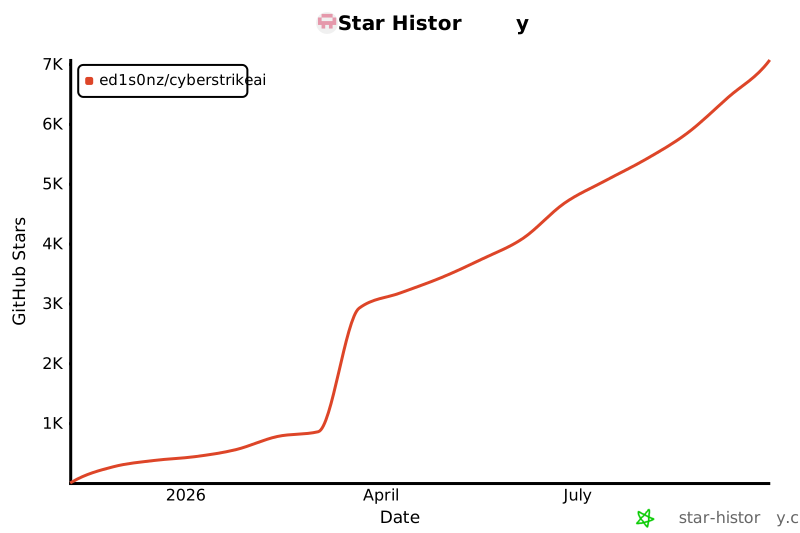
## Star History
|
||||
|
||||
|
||||
|
||||
|
||||
## 404Starlink
|
||||
|
||||
<img src="./img/404StarLinkLogo.png" width="30%">
|
||||
@@ -357,6 +427,9 @@ CyberStrikeAI has joined [404Starlink](https://github.com/knownsec/404StarLink)
|
||||
</div>
|
||||
|
||||
|
||||
|
||||
---
|
||||
|
||||
Need help or want to contribute? Open an issue or PR—community tooling additions are welcome!
|
||||
|
||||
|
||||
|
||||
+109
-40
@@ -32,7 +32,7 @@ CyberStrikeAI 是一款 **AI 原生安全测试平台**,基于 Go 构建,集
|
||||
## 特性速览
|
||||
|
||||
- 🤖 兼容 OpenAI/DeepSeek/Claude 等模型的智能决策引擎
|
||||
- 🔌 原生 MCP 协议,支持 HTTP / stdio 以及外部 MCP 接入
|
||||
- 🔌 原生 MCP 协议,支持 HTTP / stdio / SSE 传输模式以及外部 MCP 接入
|
||||
- 🧰 100+ 现成工具模版 + YAML 扩展能力
|
||||
- 📄 大结果分页、压缩与全文检索
|
||||
- 🔗 攻击链可视化、风险打分与步骤回放
|
||||
@@ -64,35 +64,40 @@ CyberStrikeAI 是一款 **AI 原生安全测试平台**,基于 Go 构建,集
|
||||
|
||||
## 基础使用
|
||||
|
||||
### 快速上手
|
||||
1. **获取代码并安装依赖**
|
||||
```bash
|
||||
git clone https://github.com/Ed1s0nZ/CyberStrikeAI.git
|
||||
cd CyberStrikeAI-main
|
||||
go mod download
|
||||
```
|
||||
2. **初始化 Python 虚拟环境(tools 目录所需)**
|
||||
`tools/*.yaml` 中大量工具(如 `api-fuzzer`、`http-framework-test`、`install-python-package` 等)依赖 Python 生态。首次进入项目根目录时请创建本地虚拟环境并安装依赖:
|
||||
```bash
|
||||
python3 -m venv venv
|
||||
source venv/bin/activate
|
||||
pip install -r requirements.txt
|
||||
```
|
||||
两个 Python 专用工具(`install-python-package` 与 `execute-python-script`)会自动检测该 `venv`(或已经激活的 `$VIRTUAL_ENV`),因此默认 `env_name` 即可满足大多数场景。
|
||||
3. **配置模型与鉴权**
|
||||
启动后在 Web 端 `Settings` 填写,或直接编辑 `config.yaml`:
|
||||
```yaml
|
||||
openai:
|
||||
api_key: "sk-your-key"
|
||||
base_url: "https://api.openai.com/v1"
|
||||
model: "gpt-4o"
|
||||
auth:
|
||||
password: "" # 为空则首次启动自动生成强口令
|
||||
session_duration_hours: 12
|
||||
security:
|
||||
tools_dir: "tools"
|
||||
```
|
||||
4. **按需安装安全工具(可选)**
|
||||
### 快速上手(一条命令部署)
|
||||
|
||||
**环境要求:**
|
||||
- Go 1.21+ ([下载安装](https://go.dev/dl/))
|
||||
- Python 3.10+ ([下载安装](https://www.python.org/downloads/))
|
||||
|
||||
**一条命令部署:**
|
||||
```bash
|
||||
git clone https://github.com/Ed1s0nZ/CyberStrikeAI.git
|
||||
cd CyberStrikeAI-main
|
||||
chmod +x run.sh && ./run.sh
|
||||
```
|
||||
|
||||
`run.sh` 脚本会自动完成:
|
||||
- ✅ 检查并验证 Go 和 Python 环境
|
||||
- ✅ 创建 Python 虚拟环境
|
||||
- ✅ 安装 Python 依赖包
|
||||
- ✅ 下载 Go 依赖模块
|
||||
- ✅ 编译构建项目
|
||||
- ✅ 启动服务器
|
||||
|
||||
**首次配置:**
|
||||
1. **配置 AI 模型 API**(首次使用前必填)
|
||||
- 启动后访问 http://localhost:8080
|
||||
- 进入 `设置` → 填写 API 配置信息:
|
||||
```yaml
|
||||
openai:
|
||||
api_key: "sk-your-key"
|
||||
base_url: "https://api.openai.com/v1" # 或 https://api.deepseek.com/v1
|
||||
model: "gpt-4o" # 或 deepseek-chat, claude-3-opus 等
|
||||
```
|
||||
- 或启动前直接编辑 `config.yaml` 文件
|
||||
2. **登录系统** - 使用控制台显示的自动生成密码(或在 `config.yaml` 中设置 `auth.password`)
|
||||
3. **安装安全工具(可选)** - 按需安装所需工具:
|
||||
```bash
|
||||
# macOS
|
||||
brew install nmap sqlmap nuclei httpx gobuster feroxbuster subfinder amass
|
||||
@@ -100,15 +105,18 @@ CyberStrikeAI 是一款 **AI 原生安全测试平台**,基于 Go 构建,集
|
||||
sudo apt-get install nmap sqlmap nuclei httpx gobuster feroxbuster
|
||||
```
|
||||
未安装的工具会自动跳过或改用替代方案。
|
||||
5. **启动服务**
|
||||
```bash
|
||||
chmod +x run.sh && ./run.sh
|
||||
# 或
|
||||
go run cmd/server/main.go
|
||||
# 或
|
||||
go build -o cyberstrike-ai cmd/server/main.go
|
||||
```
|
||||
6. **浏览器访问** http://localhost:8080 ,使用日志中提示的密码登录并开始对话。
|
||||
|
||||
**其他启动方式:**
|
||||
```bash
|
||||
# 直接运行(需手动配置环境)
|
||||
go run cmd/server/main.go
|
||||
|
||||
# 手动编译
|
||||
go build -o cyberstrike-ai cmd/server/main.go
|
||||
./cyberstrike-ai
|
||||
```
|
||||
|
||||
**说明:** Python 虚拟环境(`venv/`)由 `run.sh` 自动创建和管理。需要 Python 的工具(如 `api-fuzzer`、`http-framework-test` 等)会自动使用该环境。
|
||||
|
||||
### 常用流程
|
||||
- **对话测试**:自然语言触发多步工具编排,SSE 实时输出。
|
||||
@@ -147,7 +155,7 @@ CyberStrikeAI 是一款 **AI 原生安全测试平台**,基于 Go 构建,集
|
||||
### MCP 全场景
|
||||
- **Web 模式**:自带 HTTP MCP 服务供前端调用。
|
||||
- **MCP stdio 模式**:`go run cmd/mcp-stdio/main.go` 可接入 Cursor/命令行。
|
||||
- **外部 MCP 联邦**:在设置中注册第三方 MCP(HTTP/stdio),按需启停并实时查看调用统计与健康度。
|
||||
- **外部 MCP 联邦**:在设置中注册第三方 MCP(HTTP/stdio/SSE),按需启停并实时查看调用统计与健康度。
|
||||
|
||||
#### MCP stdio 快速集成
|
||||
1. **编译可执行文件**(在项目根目录执行):
|
||||
@@ -187,6 +195,62 @@ CyberStrikeAI 是一款 **AI 原生安全测试平台**,基于 Go 构建,集
|
||||
}
|
||||
```
|
||||
|
||||
#### 外部 MCP 联邦(HTTP/stdio/SSE)
|
||||
CyberStrikeAI 支持通过三种传输模式连接外部 MCP 服务器:
|
||||
- **HTTP 模式** – 通过 HTTP POST 进行传统的请求/响应通信
|
||||
- **stdio 模式** – 通过标准输入/输出进行进程间通信
|
||||
- **SSE 模式** – 通过 Server-Sent Events 实现实时流式通信
|
||||
|
||||
添加外部 MCP 服务器:
|
||||
1. 打开 Web 界面,进入 **设置 → 外部MCP**。
|
||||
2. 点击 **添加外部MCP**,以 JSON 格式提供配置:
|
||||
|
||||
**HTTP 模式示例:**
|
||||
```json
|
||||
{
|
||||
"my-http-mcp": {
|
||||
"transport": "http",
|
||||
"url": "http://127.0.0.1:8081/mcp",
|
||||
"description": "HTTP MCP 服务器",
|
||||
"timeout": 30
|
||||
}
|
||||
}
|
||||
```
|
||||
|
||||
**stdio 模式示例:**
|
||||
```json
|
||||
{
|
||||
"my-stdio-mcp": {
|
||||
"command": "python3",
|
||||
"args": ["/path/to/mcp-server.py"],
|
||||
"description": "stdio MCP 服务器",
|
||||
"timeout": 30
|
||||
}
|
||||
}
|
||||
```
|
||||
|
||||
**SSE 模式示例:**
|
||||
```json
|
||||
{
|
||||
"my-sse-mcp": {
|
||||
"transport": "sse",
|
||||
"url": "http://127.0.0.1:8082/sse",
|
||||
"description": "SSE MCP 服务器",
|
||||
"timeout": 30
|
||||
}
|
||||
}
|
||||
```
|
||||
|
||||
3. 点击 **保存**,然后点击 **启动** 连接服务器。
|
||||
4. 实时监控连接状态、工具数量和健康度。
|
||||
|
||||
**SSE 模式优势:**
|
||||
- 通过 Server-Sent Events 实现实时双向通信
|
||||
- 适用于需要持续数据流的场景
|
||||
- 对于基于推送的通知,延迟更低
|
||||
|
||||
可在 `cmd/test-sse-mcp-server/` 目录找到用于验证的测试 SSE MCP 服务器。
|
||||
|
||||
|
||||
### 知识库功能
|
||||
- **向量检索**:AI 智能体在对话过程中可自动调用 `search_knowledge_base` 工具搜索知识库中的安全知识。
|
||||
@@ -326,6 +390,7 @@ CyberStrikeAI/
|
||||
```
|
||||
|
||||
## Changelog(近期)
|
||||
- 2026-01-08 —— 新增 SSE(Server-Sent Events)传输模式支持,外部 MCP 联邦现支持 HTTP、stdio 和 SSE 三种模式。SSE 模式支持实时流式通信,适用于基于推送的场景。
|
||||
- 2026-01-01 —— 新增批量任务管理功能:支持创建任务队列,批量添加多个任务,执行前可编辑或删除任务,然后依次顺序执行。每个任务作为独立对话运行,支持状态跟踪(待执行/执行中/已完成/失败/已取消),所有队列和任务数据持久化存储到数据库。
|
||||
- 2025-12-25 —— 新增漏洞管理功能:完整的漏洞 CRUD 操作,支持跟踪测试过程中发现的漏洞。支持严重程度分级(严重/高/中/低/信息)、状态流转(待确认/已确认/已修复/误报)、按对话/严重程度/状态过滤,以及统计看板。
|
||||
- 2025-12-25 —— 新增对话分组功能:支持创建分组、将对话移动到分组、分组置顶、重命名和删除等操作,所有分组数据持久化存储到数据库。
|
||||
@@ -341,6 +406,10 @@ CyberStrikeAI/
|
||||
- 2025-11-14 —— 工具检索 O(1)、执行记录清理、数据库分页优化。
|
||||
- 2025-11-13 —— Web 鉴权、Settings 面板与 MCP stdio 模式发布。
|
||||
|
||||
## Star History
|
||||
|
||||

|
||||
|
||||
## 404星链计划
|
||||
<img src="./img/404StarLinkLogo.png" width="30%">
|
||||
|
||||
|
||||
@@ -0,0 +1,56 @@
|
||||
# SSE MCP 测试服务器
|
||||
|
||||
这是一个用于验证SSE模式外部MCP功能的测试服务器。
|
||||
|
||||
## 使用方法
|
||||
|
||||
### 1. 启动测试服务器
|
||||
|
||||
```bash
|
||||
cd cmd/test-sse-mcp-server
|
||||
go run main.go
|
||||
```
|
||||
|
||||
服务器将在 `http://127.0.0.1:8082` 启动,提供以下端点:
|
||||
- `GET /sse` - SSE事件流端点
|
||||
- `POST /message` - 消息接收端点
|
||||
|
||||
### 2. 在CyberStrikeAI中添加配置
|
||||
|
||||
在Web界面中添加外部MCP配置,使用以下JSON:
|
||||
|
||||
```json
|
||||
{
|
||||
"test-sse-mcp": {
|
||||
"transport": "sse",
|
||||
"url": "http://127.0.0.1:8082/sse",
|
||||
"description": "SSE MCP测试服务器",
|
||||
"timeout": 30
|
||||
}
|
||||
}
|
||||
```
|
||||
|
||||
### 3. 测试功能
|
||||
|
||||
测试服务器提供两个测试工具:
|
||||
|
||||
1. **test_echo** - 回显输入的文本
|
||||
- 参数:`text` (string) - 要回显的文本
|
||||
|
||||
2. **test_add** - 计算两个数字的和
|
||||
- 参数:`a` (number) - 第一个数字
|
||||
- 参数:`b` (number) - 第二个数字
|
||||
|
||||
## 工作原理
|
||||
|
||||
1. 客户端通过 `GET /sse` 建立SSE连接,接收服务器推送的事件
|
||||
2. 客户端通过 `POST /message` 发送MCP协议消息
|
||||
3. 服务器处理消息后,通过SSE连接推送响应
|
||||
|
||||
## 日志
|
||||
|
||||
服务器会输出以下日志:
|
||||
- SSE客户端连接/断开
|
||||
- 收到的请求(方法名和ID)
|
||||
- 工具调用详情
|
||||
|
||||
@@ -0,0 +1,395 @@
|
||||
package main
|
||||
|
||||
import (
|
||||
"encoding/json"
|
||||
"fmt"
|
||||
"log"
|
||||
"net/http"
|
||||
"sync"
|
||||
"time"
|
||||
|
||||
"github.com/google/uuid"
|
||||
)
|
||||
|
||||
const ProtocolVersion = "2024-11-05"
|
||||
|
||||
// Message MCP消息
|
||||
type Message struct {
|
||||
ID interface{} `json:"id,omitempty"`
|
||||
Method string `json:"method,omitempty"`
|
||||
Params json.RawMessage `json:"params,omitempty"`
|
||||
Result json.RawMessage `json:"result,omitempty"`
|
||||
Error *Error `json:"error,omitempty"`
|
||||
Version string `json:"jsonrpc,omitempty"`
|
||||
}
|
||||
|
||||
// Error MCP错误
|
||||
type Error struct {
|
||||
Code int `json:"code"`
|
||||
Message string `json:"message"`
|
||||
Data interface{} `json:"data,omitempty"`
|
||||
}
|
||||
|
||||
// InitializeRequest 初始化请求
|
||||
type InitializeRequest struct {
|
||||
ProtocolVersion string `json:"protocolVersion"`
|
||||
Capabilities map[string]interface{} `json:"capabilities"`
|
||||
ClientInfo ClientInfo `json:"clientInfo"`
|
||||
}
|
||||
|
||||
// ClientInfo 客户端信息
|
||||
type ClientInfo struct {
|
||||
Name string `json:"name"`
|
||||
Version string `json:"version"`
|
||||
}
|
||||
|
||||
// InitializeResponse 初始化响应
|
||||
type InitializeResponse struct {
|
||||
ProtocolVersion string `json:"protocolVersion"`
|
||||
Capabilities ServerCapabilities `json:"capabilities"`
|
||||
ServerInfo ServerInfo `json:"serverInfo"`
|
||||
}
|
||||
|
||||
// ServerCapabilities 服务器能力
|
||||
type ServerCapabilities struct {
|
||||
Tools map[string]interface{} `json:"tools,omitempty"`
|
||||
}
|
||||
|
||||
// ServerInfo 服务器信息
|
||||
type ServerInfo struct {
|
||||
Name string `json:"name"`
|
||||
Version string `json:"version"`
|
||||
}
|
||||
|
||||
// Tool 工具定义
|
||||
type Tool struct {
|
||||
Name string `json:"name"`
|
||||
Description string `json:"description"`
|
||||
InputSchema map[string]interface{} `json:"inputSchema"`
|
||||
}
|
||||
|
||||
// ListToolsResponse 列出工具响应
|
||||
type ListToolsResponse struct {
|
||||
Tools []Tool `json:"tools"`
|
||||
}
|
||||
|
||||
// CallToolRequest 调用工具请求
|
||||
type CallToolRequest struct {
|
||||
Name string `json:"name"`
|
||||
Arguments map[string]interface{} `json:"arguments"`
|
||||
}
|
||||
|
||||
// CallToolResponse 调用工具响应
|
||||
type CallToolResponse struct {
|
||||
Content []Content `json:"content"`
|
||||
IsError bool `json:"isError,omitempty"`
|
||||
}
|
||||
|
||||
// Content 内容
|
||||
type Content struct {
|
||||
Type string `json:"type"`
|
||||
Text string `json:"text"`
|
||||
}
|
||||
|
||||
// SSEServer SSE MCP服务器
|
||||
type SSEServer struct {
|
||||
sseClients map[string]chan []byte
|
||||
mu sync.RWMutex
|
||||
}
|
||||
|
||||
func NewSSEServer() *SSEServer {
|
||||
return &SSEServer{
|
||||
sseClients: make(map[string]chan []byte),
|
||||
}
|
||||
}
|
||||
|
||||
// handleSSE 处理SSE连接
|
||||
func (s *SSEServer) handleSSE(w http.ResponseWriter, r *http.Request) {
|
||||
flusher, ok := w.(http.Flusher)
|
||||
if !ok {
|
||||
http.Error(w, "Streaming unsupported", http.StatusInternalServerError)
|
||||
return
|
||||
}
|
||||
|
||||
w.Header().Set("Content-Type", "text/event-stream")
|
||||
w.Header().Set("Cache-Control", "no-cache")
|
||||
w.Header().Set("Connection", "keep-alive")
|
||||
w.Header().Set("X-Accel-Buffering", "no")
|
||||
|
||||
clientID := uuid.New().String()
|
||||
clientChan := make(chan []byte, 10)
|
||||
|
||||
s.mu.Lock()
|
||||
s.sseClients[clientID] = clientChan
|
||||
s.mu.Unlock()
|
||||
|
||||
defer func() {
|
||||
s.mu.Lock()
|
||||
delete(s.sseClients, clientID)
|
||||
close(clientChan)
|
||||
s.mu.Unlock()
|
||||
}()
|
||||
|
||||
// 发送初始ready事件
|
||||
fmt.Fprintf(w, "event: message\ndata: {\"type\":\"ready\",\"status\":\"ok\"}\n\n")
|
||||
flusher.Flush()
|
||||
|
||||
log.Printf("SSE客户端连接: %s", clientID)
|
||||
|
||||
// 心跳
|
||||
ticker := time.NewTicker(15 * time.Second)
|
||||
defer ticker.Stop()
|
||||
|
||||
for {
|
||||
select {
|
||||
case <-r.Context().Done():
|
||||
log.Printf("SSE客户端断开: %s", clientID)
|
||||
return
|
||||
case msg, ok := <-clientChan:
|
||||
if !ok {
|
||||
return
|
||||
}
|
||||
fmt.Fprintf(w, "event: message\ndata: %s\n\n", msg)
|
||||
flusher.Flush()
|
||||
case <-ticker.C:
|
||||
// 心跳
|
||||
fmt.Fprintf(w, ": ping\n\n")
|
||||
flusher.Flush()
|
||||
}
|
||||
}
|
||||
}
|
||||
|
||||
// handleMessage 处理POST消息
|
||||
func (s *SSEServer) handleMessage(w http.ResponseWriter, r *http.Request) {
|
||||
if r.Method != http.MethodPost {
|
||||
http.Error(w, "Method not allowed", http.StatusMethodNotAllowed)
|
||||
return
|
||||
}
|
||||
|
||||
var msg Message
|
||||
if err := json.NewDecoder(r.Body).Decode(&msg); err != nil {
|
||||
http.Error(w, "Invalid JSON", http.StatusBadRequest)
|
||||
return
|
||||
}
|
||||
|
||||
log.Printf("收到请求: method=%s, id=%v", msg.Method, msg.ID)
|
||||
|
||||
// 处理消息
|
||||
response := s.processMessage(&msg)
|
||||
|
||||
// 如果有SSE客户端,通过SSE推送响应
|
||||
if response != nil {
|
||||
responseJSON, _ := json.Marshal(response)
|
||||
s.mu.RLock()
|
||||
// 发送给所有SSE客户端
|
||||
for _, ch := range s.sseClients {
|
||||
select {
|
||||
case ch <- responseJSON:
|
||||
default:
|
||||
}
|
||||
}
|
||||
s.mu.RUnlock()
|
||||
}
|
||||
|
||||
// 也直接返回响应(兼容非SSE模式)
|
||||
if response != nil {
|
||||
w.Header().Set("Content-Type", "application/json")
|
||||
json.NewEncoder(w).Encode(response)
|
||||
} else {
|
||||
w.WriteHeader(http.StatusOK)
|
||||
}
|
||||
}
|
||||
|
||||
// processMessage 处理MCP消息
|
||||
func (s *SSEServer) processMessage(msg *Message) *Message {
|
||||
switch msg.Method {
|
||||
case "initialize":
|
||||
return s.handleInitialize(msg)
|
||||
case "tools/list":
|
||||
return s.handleListTools(msg)
|
||||
case "tools/call":
|
||||
return s.handleCallTool(msg)
|
||||
default:
|
||||
return &Message{
|
||||
ID: msg.ID,
|
||||
Version: "2.0",
|
||||
Error: &Error{
|
||||
Code: -32601,
|
||||
Message: "Method not found",
|
||||
},
|
||||
}
|
||||
}
|
||||
}
|
||||
|
||||
// handleInitialize 处理初始化
|
||||
func (s *SSEServer) handleInitialize(msg *Message) *Message {
|
||||
var req InitializeRequest
|
||||
if err := json.Unmarshal(msg.Params, &req); err != nil {
|
||||
return &Message{
|
||||
ID: msg.ID,
|
||||
Version: "2.0",
|
||||
Error: &Error{
|
||||
Code: -32602,
|
||||
Message: "Invalid params",
|
||||
},
|
||||
}
|
||||
}
|
||||
|
||||
log.Printf("初始化请求: client=%s, version=%s", req.ClientInfo.Name, req.ClientInfo.Version)
|
||||
|
||||
response := InitializeResponse{
|
||||
ProtocolVersion: ProtocolVersion,
|
||||
Capabilities: ServerCapabilities{
|
||||
Tools: map[string]interface{}{
|
||||
"listChanged": true,
|
||||
},
|
||||
},
|
||||
ServerInfo: ServerInfo{
|
||||
Name: "Test SSE MCP Server",
|
||||
Version: "1.0.0",
|
||||
},
|
||||
}
|
||||
|
||||
result, _ := json.Marshal(response)
|
||||
return &Message{
|
||||
ID: msg.ID,
|
||||
Version: "2.0",
|
||||
Result: result,
|
||||
}
|
||||
}
|
||||
|
||||
// handleListTools 处理列出工具
|
||||
func (s *SSEServer) handleListTools(msg *Message) *Message {
|
||||
tools := []Tool{
|
||||
{
|
||||
Name: "test_echo",
|
||||
Description: "回显输入的文本,用于测试SSE MCP服务器",
|
||||
InputSchema: map[string]interface{}{
|
||||
"type": "object",
|
||||
"properties": map[string]interface{}{
|
||||
"text": map[string]interface{}{
|
||||
"type": "string",
|
||||
"description": "要回显的文本",
|
||||
},
|
||||
},
|
||||
"required": []string{"text"},
|
||||
},
|
||||
},
|
||||
{
|
||||
Name: "test_add",
|
||||
Description: "计算两个数字的和,用于测试SSE MCP服务器",
|
||||
InputSchema: map[string]interface{}{
|
||||
"type": "object",
|
||||
"properties": map[string]interface{}{
|
||||
"a": map[string]interface{}{
|
||||
"type": "number",
|
||||
"description": "第一个数字",
|
||||
},
|
||||
"b": map[string]interface{}{
|
||||
"type": "number",
|
||||
"description": "第二个数字",
|
||||
},
|
||||
},
|
||||
"required": []string{"a", "b"},
|
||||
},
|
||||
},
|
||||
}
|
||||
|
||||
response := ListToolsResponse{Tools: tools}
|
||||
result, _ := json.Marshal(response)
|
||||
return &Message{
|
||||
ID: msg.ID,
|
||||
Version: "2.0",
|
||||
Result: result,
|
||||
}
|
||||
}
|
||||
|
||||
// handleCallTool 处理工具调用
|
||||
func (s *SSEServer) handleCallTool(msg *Message) *Message {
|
||||
var req CallToolRequest
|
||||
if err := json.Unmarshal(msg.Params, &req); err != nil {
|
||||
return &Message{
|
||||
ID: msg.ID,
|
||||
Version: "2.0",
|
||||
Error: &Error{
|
||||
Code: -32602,
|
||||
Message: "Invalid params",
|
||||
},
|
||||
}
|
||||
}
|
||||
|
||||
log.Printf("调用工具: name=%s, args=%v", req.Name, req.Arguments)
|
||||
|
||||
var content []Content
|
||||
|
||||
switch req.Name {
|
||||
case "test_echo":
|
||||
text, _ := req.Arguments["text"].(string)
|
||||
content = []Content{
|
||||
{
|
||||
Type: "text",
|
||||
Text: fmt.Sprintf("回显: %s", text),
|
||||
},
|
||||
}
|
||||
case "test_add":
|
||||
var a, b float64
|
||||
if val, ok := req.Arguments["a"].(float64); ok {
|
||||
a = val
|
||||
}
|
||||
if val, ok := req.Arguments["b"].(float64); ok {
|
||||
b = val
|
||||
}
|
||||
sum := a + b
|
||||
content = []Content{
|
||||
{
|
||||
Type: "text",
|
||||
Text: fmt.Sprintf("%.2f + %.2f = %.2f", a, b, sum),
|
||||
},
|
||||
}
|
||||
default:
|
||||
return &Message{
|
||||
ID: msg.ID,
|
||||
Version: "2.0",
|
||||
Error: &Error{
|
||||
Code: -32601,
|
||||
Message: "Tool not found",
|
||||
},
|
||||
}
|
||||
}
|
||||
|
||||
response := CallToolResponse{
|
||||
Content: content,
|
||||
IsError: false,
|
||||
}
|
||||
|
||||
result, _ := json.Marshal(response)
|
||||
return &Message{
|
||||
ID: msg.ID,
|
||||
Version: "2.0",
|
||||
Result: result,
|
||||
}
|
||||
}
|
||||
|
||||
func main() {
|
||||
server := NewSSEServer()
|
||||
|
||||
http.HandleFunc("/sse", server.handleSSE)
|
||||
http.HandleFunc("/message", server.handleMessage)
|
||||
|
||||
port := ":8082"
|
||||
log.Printf("SSE MCP测试服务器启动在端口 %s", port)
|
||||
log.Printf("SSE端点: http://localhost%s/sse", port)
|
||||
log.Printf("消息端点: http://localhost%s/message", port)
|
||||
log.Printf("配置示例:")
|
||||
log.Printf(`{
|
||||
"test-sse-mcp": {
|
||||
"transport": "sse",
|
||||
"url": "http://127.0.0.1:8082/sse"
|
||||
}
|
||||
}`)
|
||||
|
||||
if err := http.ListenAndServe(port, nil); err != nil {
|
||||
log.Fatal(err)
|
||||
}
|
||||
}
|
||||
|
||||
@@ -865,7 +865,8 @@ func (a *Agent) getAvailableTools() []Tool {
|
||||
|
||||
// 获取外部MCP工具
|
||||
if a.externalMCPMgr != nil {
|
||||
ctx, cancel := context.WithTimeout(context.Background(), 10*time.Second)
|
||||
// 增加超时时间到30秒,因为通过代理连接远程服务器可能需要更长时间
|
||||
ctx, cancel := context.WithTimeout(context.Background(), 30*time.Second)
|
||||
defer cancel()
|
||||
|
||||
externalTools, err := a.externalMCPMgr.GetAllTools(ctx)
|
||||
|
||||
+76
-16
@@ -214,23 +214,53 @@ func New(cfg *config.Config, log *logger.Logger) (*App, error) {
|
||||
return
|
||||
}
|
||||
|
||||
if hasIndex {
|
||||
// 如果已有索引,只索引新添加或更新的项
|
||||
if len(itemsToIndex) > 0 {
|
||||
log.Logger.Info("检测到已有知识库索引,开始增量索引", zap.Int("count", len(itemsToIndex)))
|
||||
ctx := context.Background()
|
||||
for _, itemID := range itemsToIndex {
|
||||
if err := knowledgeIndexer.IndexItem(ctx, itemID); err != nil {
|
||||
log.Logger.Warn("索引知识项失败", zap.String("itemId", itemID), zap.Error(err))
|
||||
continue
|
||||
if hasIndex {
|
||||
// 如果已有索引,只索引新添加或更新的项
|
||||
if len(itemsToIndex) > 0 {
|
||||
log.Logger.Info("检测到已有知识库索引,开始增量索引", zap.Int("count", len(itemsToIndex)))
|
||||
ctx := context.Background()
|
||||
consecutiveFailures := 0
|
||||
var firstFailureItemID string
|
||||
var firstFailureError error
|
||||
failedCount := 0
|
||||
|
||||
for _, itemID := range itemsToIndex {
|
||||
if err := knowledgeIndexer.IndexItem(ctx, itemID); err != nil {
|
||||
failedCount++
|
||||
consecutiveFailures++
|
||||
|
||||
if consecutiveFailures == 1 {
|
||||
firstFailureItemID = itemID
|
||||
firstFailureError = err
|
||||
log.Logger.Warn("索引知识项失败", zap.String("itemId", itemID), zap.Error(err))
|
||||
}
|
||||
|
||||
// 如果连续失败2次,立即停止增量索引
|
||||
if consecutiveFailures >= 2 {
|
||||
log.Logger.Error("连续索引失败次数过多,立即停止增量索引",
|
||||
zap.Int("consecutiveFailures", consecutiveFailures),
|
||||
zap.Int("totalItems", len(itemsToIndex)),
|
||||
zap.String("firstFailureItemId", firstFailureItemID),
|
||||
zap.Error(firstFailureError),
|
||||
)
|
||||
break
|
||||
}
|
||||
continue
|
||||
}
|
||||
|
||||
// 成功时重置连续失败计数
|
||||
if consecutiveFailures > 0 {
|
||||
consecutiveFailures = 0
|
||||
firstFailureItemID = ""
|
||||
firstFailureError = nil
|
||||
}
|
||||
}
|
||||
log.Logger.Info("增量索引完成", zap.Int("totalItems", len(itemsToIndex)), zap.Int("failedCount", failedCount))
|
||||
} else {
|
||||
log.Logger.Info("检测到已有知识库索引,没有需要索引的新项或更新项")
|
||||
}
|
||||
log.Logger.Info("增量索引完成", zap.Int("totalItems", len(itemsToIndex)))
|
||||
} else {
|
||||
log.Logger.Info("检测到已有知识库索引,没有需要索引的新项或更新项")
|
||||
return
|
||||
}
|
||||
return
|
||||
}
|
||||
|
||||
// 只有在没有索引时才自动重建
|
||||
log.Logger.Info("未检测到知识库索引,开始自动构建索引")
|
||||
@@ -934,13 +964,43 @@ func initializeKnowledge(
|
||||
if len(itemsToIndex) > 0 {
|
||||
logger.Info("检测到已有知识库索引,开始增量索引", zap.Int("count", len(itemsToIndex)))
|
||||
ctx := context.Background()
|
||||
consecutiveFailures := 0
|
||||
var firstFailureItemID string
|
||||
var firstFailureError error
|
||||
failedCount := 0
|
||||
|
||||
for _, itemID := range itemsToIndex {
|
||||
if err := knowledgeIndexer.IndexItem(ctx, itemID); err != nil {
|
||||
logger.Warn("索引知识项失败", zap.String("itemId", itemID), zap.Error(err))
|
||||
failedCount++
|
||||
consecutiveFailures++
|
||||
|
||||
if consecutiveFailures == 1 {
|
||||
firstFailureItemID = itemID
|
||||
firstFailureError = err
|
||||
logger.Warn("索引知识项失败", zap.String("itemId", itemID), zap.Error(err))
|
||||
}
|
||||
|
||||
// 如果连续失败2次,立即停止增量索引
|
||||
if consecutiveFailures >= 2 {
|
||||
logger.Error("连续索引失败次数过多,立即停止增量索引",
|
||||
zap.Int("consecutiveFailures", consecutiveFailures),
|
||||
zap.Int("totalItems", len(itemsToIndex)),
|
||||
zap.String("firstFailureItemId", firstFailureItemID),
|
||||
zap.Error(firstFailureError),
|
||||
)
|
||||
break
|
||||
}
|
||||
continue
|
||||
}
|
||||
|
||||
// 成功时重置连续失败计数
|
||||
if consecutiveFailures > 0 {
|
||||
consecutiveFailures = 0
|
||||
firstFailureItemID = ""
|
||||
firstFailureError = nil
|
||||
}
|
||||
}
|
||||
logger.Info("增量索引完成", zap.Int("totalItems", len(itemsToIndex)))
|
||||
logger.Info("增量索引完成", zap.Int("totalItems", len(itemsToIndex)), zap.Int("failedCount", failedCount))
|
||||
} else {
|
||||
logger.Info("检测到已有知识库索引,没有需要索引的新项或更新项")
|
||||
}
|
||||
|
||||
@@ -11,6 +11,7 @@ import (
|
||||
// BatchTaskQueueRow 批量任务队列数据库行
|
||||
type BatchTaskQueueRow struct {
|
||||
ID string
|
||||
Title sql.NullString
|
||||
Status string
|
||||
CreatedAt time.Time
|
||||
StartedAt sql.NullTime
|
||||
@@ -32,7 +33,7 @@ type BatchTaskRow struct {
|
||||
}
|
||||
|
||||
// CreateBatchQueue 创建批量任务队列
|
||||
func (db *DB) CreateBatchQueue(queueID string, tasks []map[string]interface{}) error {
|
||||
func (db *DB) CreateBatchQueue(queueID string, title string, tasks []map[string]interface{}) error {
|
||||
tx, err := db.Begin()
|
||||
if err != nil {
|
||||
return fmt.Errorf("开始事务失败: %w", err)
|
||||
@@ -41,8 +42,8 @@ func (db *DB) CreateBatchQueue(queueID string, tasks []map[string]interface{}) e
|
||||
|
||||
now := time.Now()
|
||||
_, err = tx.Exec(
|
||||
"INSERT INTO batch_task_queues (id, status, created_at, current_index) VALUES (?, ?, ?, ?)",
|
||||
queueID, "pending", now, 0,
|
||||
"INSERT INTO batch_task_queues (id, title, status, created_at, current_index) VALUES (?, ?, ?, ?, ?)",
|
||||
queueID, title, "pending", now, 0,
|
||||
)
|
||||
if err != nil {
|
||||
return fmt.Errorf("创建批量任务队列失败: %w", err)
|
||||
@@ -76,9 +77,9 @@ func (db *DB) GetBatchQueue(queueID string) (*BatchTaskQueueRow, error) {
|
||||
var row BatchTaskQueueRow
|
||||
var createdAt string
|
||||
err := db.QueryRow(
|
||||
"SELECT id, status, created_at, started_at, completed_at, current_index FROM batch_task_queues WHERE id = ?",
|
||||
"SELECT id, title, status, created_at, started_at, completed_at, current_index FROM batch_task_queues WHERE id = ?",
|
||||
queueID,
|
||||
).Scan(&row.ID, &row.Status, &createdAt, &row.StartedAt, &row.CompletedAt, &row.CurrentIndex)
|
||||
).Scan(&row.ID, &row.Title, &row.Status, &createdAt, &row.StartedAt, &row.CompletedAt, &row.CurrentIndex)
|
||||
if err == sql.ErrNoRows {
|
||||
return nil, nil
|
||||
}
|
||||
@@ -102,7 +103,7 @@ func (db *DB) GetBatchQueue(queueID string) (*BatchTaskQueueRow, error) {
|
||||
// GetAllBatchQueues 获取所有批量任务队列
|
||||
func (db *DB) GetAllBatchQueues() ([]*BatchTaskQueueRow, error) {
|
||||
rows, err := db.Query(
|
||||
"SELECT id, status, created_at, started_at, completed_at, current_index FROM batch_task_queues ORDER BY created_at DESC",
|
||||
"SELECT id, title, status, created_at, started_at, completed_at, current_index FROM batch_task_queues ORDER BY created_at DESC",
|
||||
)
|
||||
if err != nil {
|
||||
return nil, fmt.Errorf("查询批量任务队列列表失败: %w", err)
|
||||
@@ -113,7 +114,7 @@ func (db *DB) GetAllBatchQueues() ([]*BatchTaskQueueRow, error) {
|
||||
for rows.Next() {
|
||||
var row BatchTaskQueueRow
|
||||
var createdAt string
|
||||
if err := rows.Scan(&row.ID, &row.Status, &createdAt, &row.StartedAt, &row.CompletedAt, &row.CurrentIndex); err != nil {
|
||||
if err := rows.Scan(&row.ID, &row.Title, &row.Status, &createdAt, &row.StartedAt, &row.CompletedAt, &row.CurrentIndex); err != nil {
|
||||
return nil, fmt.Errorf("扫描批量任务队列失败: %w", err)
|
||||
}
|
||||
parsedTime, parseErr := time.Parse("2006-01-02 15:04:05", createdAt)
|
||||
@@ -133,7 +134,7 @@ func (db *DB) GetAllBatchQueues() ([]*BatchTaskQueueRow, error) {
|
||||
|
||||
// ListBatchQueues 列出批量任务队列(支持筛选和分页)
|
||||
func (db *DB) ListBatchQueues(limit, offset int, status, keyword string) ([]*BatchTaskQueueRow, error) {
|
||||
query := "SELECT id, status, created_at, started_at, completed_at, current_index FROM batch_task_queues WHERE 1=1"
|
||||
query := "SELECT id, title, status, created_at, started_at, completed_at, current_index FROM batch_task_queues WHERE 1=1"
|
||||
args := []interface{}{}
|
||||
|
||||
// 状态筛选
|
||||
@@ -142,10 +143,10 @@ func (db *DB) ListBatchQueues(limit, offset int, status, keyword string) ([]*Bat
|
||||
args = append(args, status)
|
||||
}
|
||||
|
||||
// 关键字搜索(搜索队列ID)
|
||||
// 关键字搜索(搜索队列ID和标题)
|
||||
if keyword != "" {
|
||||
query += " AND id LIKE ?"
|
||||
args = append(args, "%"+keyword+"%")
|
||||
query += " AND (id LIKE ? OR title LIKE ?)"
|
||||
args = append(args, "%"+keyword+"%", "%"+keyword+"%")
|
||||
}
|
||||
|
||||
query += " ORDER BY created_at DESC LIMIT ? OFFSET ?"
|
||||
@@ -161,7 +162,7 @@ func (db *DB) ListBatchQueues(limit, offset int, status, keyword string) ([]*Bat
|
||||
for rows.Next() {
|
||||
var row BatchTaskQueueRow
|
||||
var createdAt string
|
||||
if err := rows.Scan(&row.ID, &row.Status, &createdAt, &row.StartedAt, &row.CompletedAt, &row.CurrentIndex); err != nil {
|
||||
if err := rows.Scan(&row.ID, &row.Title, &row.Status, &createdAt, &row.StartedAt, &row.CompletedAt, &row.CurrentIndex); err != nil {
|
||||
return nil, fmt.Errorf("扫描批量任务队列失败: %w", err)
|
||||
}
|
||||
parsedTime, parseErr := time.Parse("2006-01-02 15:04:05", createdAt)
|
||||
@@ -190,10 +191,10 @@ func (db *DB) CountBatchQueues(status, keyword string) (int, error) {
|
||||
args = append(args, status)
|
||||
}
|
||||
|
||||
// 关键字搜索
|
||||
// 关键字搜索(搜索队列ID和标题)
|
||||
if keyword != "" {
|
||||
query += " AND id LIKE ?"
|
||||
args = append(args, "%"+keyword+"%")
|
||||
query += " AND (id LIKE ? OR title LIKE ?)"
|
||||
args = append(args, "%"+keyword+"%", "%"+keyword+"%")
|
||||
}
|
||||
|
||||
var count int
|
||||
|
||||
@@ -193,6 +193,7 @@ func (db *DB) initTables() error {
|
||||
createBatchTaskQueuesTable := `
|
||||
CREATE TABLE IF NOT EXISTS batch_task_queues (
|
||||
id TEXT PRIMARY KEY,
|
||||
title TEXT,
|
||||
status TEXT NOT NULL,
|
||||
created_at DATETIME NOT NULL,
|
||||
started_at DATETIME,
|
||||
@@ -240,6 +241,7 @@ func (db *DB) initTables() error {
|
||||
CREATE INDEX IF NOT EXISTS idx_vulnerabilities_created_at ON vulnerabilities(created_at);
|
||||
CREATE INDEX IF NOT EXISTS idx_batch_tasks_queue_id ON batch_tasks(queue_id);
|
||||
CREATE INDEX IF NOT EXISTS idx_batch_task_queues_created_at ON batch_task_queues(created_at);
|
||||
CREATE INDEX IF NOT EXISTS idx_batch_task_queues_title ON batch_task_queues(title);
|
||||
`
|
||||
|
||||
if _, err := db.Exec(createConversationsTable); err != nil {
|
||||
@@ -310,6 +312,11 @@ func (db *DB) initTables() error {
|
||||
// 不返回错误,允许继续运行
|
||||
}
|
||||
|
||||
if err := db.migrateBatchTaskQueuesTable(); err != nil {
|
||||
db.logger.Warn("迁移batch_task_queues表失败", zap.Error(err))
|
||||
// 不返回错误,允许继续运行
|
||||
}
|
||||
|
||||
if _, err := db.Exec(createIndexes); err != nil {
|
||||
return fmt.Errorf("创建索引失败: %w", err)
|
||||
}
|
||||
@@ -426,6 +433,30 @@ func (db *DB) migrateConversationGroupMappingsTable() error {
|
||||
return nil
|
||||
}
|
||||
|
||||
// migrateBatchTaskQueuesTable 迁移batch_task_queues表,添加title字段
|
||||
func (db *DB) migrateBatchTaskQueuesTable() error {
|
||||
// 检查title字段是否存在
|
||||
var count int
|
||||
err := db.QueryRow("SELECT COUNT(*) FROM pragma_table_info('batch_task_queues') WHERE name='title'").Scan(&count)
|
||||
if err != nil {
|
||||
// 如果查询失败,尝试添加字段
|
||||
if _, addErr := db.Exec("ALTER TABLE batch_task_queues ADD COLUMN title TEXT"); addErr != nil {
|
||||
// 如果字段已存在,忽略错误
|
||||
errMsg := strings.ToLower(addErr.Error())
|
||||
if !strings.Contains(errMsg, "duplicate column") && !strings.Contains(errMsg, "already exists") {
|
||||
db.logger.Warn("添加title字段失败", zap.Error(addErr))
|
||||
}
|
||||
}
|
||||
} else if count == 0 {
|
||||
// 字段不存在,添加它
|
||||
if _, err := db.Exec("ALTER TABLE batch_task_queues ADD COLUMN title TEXT"); err != nil {
|
||||
db.logger.Warn("添加title字段失败", zap.Error(err))
|
||||
}
|
||||
}
|
||||
|
||||
return nil
|
||||
}
|
||||
|
||||
// NewKnowledgeDB 创建知识库数据库连接(只包含知识库相关的表)
|
||||
func NewKnowledgeDB(dbPath string, logger *zap.Logger) (*DB, error) {
|
||||
sqlDB, err := sql.Open("sqlite3", dbPath+"?_journal_mode=WAL&_foreign_keys=1")
|
||||
|
||||
@@ -759,6 +759,7 @@ func (h *AgentHandler) ListCompletedTasks(c *gin.Context) {
|
||||
|
||||
// BatchTaskRequest 批量任务请求
|
||||
type BatchTaskRequest struct {
|
||||
Title string `json:"title"` // 任务标题(可选)
|
||||
Tasks []string `json:"tasks" binding:"required"` // 任务列表,每行一个任务
|
||||
}
|
||||
|
||||
@@ -788,7 +789,7 @@ func (h *AgentHandler) CreateBatchQueue(c *gin.Context) {
|
||||
return
|
||||
}
|
||||
|
||||
queue := h.batchTaskManager.CreateBatchQueue(validTasks)
|
||||
queue := h.batchTaskManager.CreateBatchQueue(req.Title, validTasks)
|
||||
c.JSON(http.StatusOK, gin.H{
|
||||
"queueId": queue.ID,
|
||||
"queue": queue,
|
||||
|
||||
@@ -28,6 +28,7 @@ type BatchTask struct {
|
||||
// BatchTaskQueue 批量任务队列
|
||||
type BatchTaskQueue struct {
|
||||
ID string `json:"id"`
|
||||
Title string `json:"title,omitempty"`
|
||||
Tasks []*BatchTask `json:"tasks"`
|
||||
Status string `json:"status"` // pending, running, paused, completed, cancelled
|
||||
CreatedAt time.Time `json:"createdAt"`
|
||||
@@ -61,13 +62,14 @@ func (m *BatchTaskManager) SetDB(db *database.DB) {
|
||||
}
|
||||
|
||||
// CreateBatchQueue 创建批量任务队列
|
||||
func (m *BatchTaskManager) CreateBatchQueue(tasks []string) *BatchTaskQueue {
|
||||
func (m *BatchTaskManager) CreateBatchQueue(title string, tasks []string) *BatchTaskQueue {
|
||||
m.mu.Lock()
|
||||
defer m.mu.Unlock()
|
||||
|
||||
queueID := time.Now().Format("20060102150405") + "-" + generateShortID()
|
||||
queue := &BatchTaskQueue{
|
||||
ID: queueID,
|
||||
Title: title,
|
||||
Tasks: make([]*BatchTask, 0, len(tasks)),
|
||||
Status: "pending",
|
||||
CreatedAt: time.Now(),
|
||||
@@ -96,7 +98,7 @@ func (m *BatchTaskManager) CreateBatchQueue(tasks []string) *BatchTaskQueue {
|
||||
|
||||
// 保存到数据库
|
||||
if m.db != nil {
|
||||
if err := m.db.CreateBatchQueue(queueID, dbTasks); err != nil {
|
||||
if err := m.db.CreateBatchQueue(queueID, title, dbTasks); err != nil {
|
||||
// 如果数据库保存失败,记录错误但继续(使用内存缓存)
|
||||
// 这里可以添加日志记录
|
||||
}
|
||||
@@ -153,6 +155,9 @@ func (m *BatchTaskManager) loadQueueFromDB(queueID string) *BatchTaskQueue {
|
||||
Tasks: make([]*BatchTask, 0, len(taskRows)),
|
||||
}
|
||||
|
||||
if queueRow.Title.Valid {
|
||||
queue.Title = queueRow.Title.String
|
||||
}
|
||||
if queueRow.StartedAt.Valid {
|
||||
queue.StartedAt = &queueRow.StartedAt.Time
|
||||
}
|
||||
@@ -271,11 +276,12 @@ func (m *BatchTaskManager) ListQueues(limit, offset int, status, keyword string)
|
||||
if status != "" && status != "all" && queue.Status != status {
|
||||
continue
|
||||
}
|
||||
// 关键字搜索
|
||||
// 关键字搜索(搜索队列ID和标题)
|
||||
if keyword != "" {
|
||||
keywordLower := strings.ToLower(keyword)
|
||||
queueIDLower := strings.ToLower(queue.ID)
|
||||
if !strings.Contains(queueIDLower, keywordLower) {
|
||||
queueTitleLower := strings.ToLower(queue.Title)
|
||||
if !strings.Contains(queueIDLower, keywordLower) && !strings.Contains(queueTitleLower, keywordLower) {
|
||||
// 也可以搜索创建时间
|
||||
createdAtStr := queue.CreatedAt.Format("2006-01-02 15:04:05")
|
||||
if !strings.Contains(createdAtStr, keyword) {
|
||||
@@ -342,6 +348,9 @@ func (m *BatchTaskManager) LoadFromDB() error {
|
||||
Tasks: make([]*BatchTask, 0, len(taskRows)),
|
||||
}
|
||||
|
||||
if queueRow.Title.Valid {
|
||||
queue.Title = queueRow.Title.String
|
||||
}
|
||||
if queueRow.StartedAt.Valid {
|
||||
queue.StartedAt = &queueRow.StartedAt.Time
|
||||
}
|
||||
|
||||
+101
-23
@@ -57,6 +57,7 @@ type ConfigHandler struct {
|
||||
appUpdater AppUpdater // App更新器(可选)
|
||||
logger *zap.Logger
|
||||
mu sync.RWMutex
|
||||
lastEmbeddingConfig *config.EmbeddingConfig // 上一次的嵌入模型配置(用于检测变更)
|
||||
}
|
||||
|
||||
// AttackChainUpdater 攻击链处理器更新接口
|
||||
@@ -72,15 +73,26 @@ type AgentUpdater interface {
|
||||
|
||||
// NewConfigHandler 创建新的配置处理器
|
||||
func NewConfigHandler(configPath string, cfg *config.Config, mcpServer *mcp.Server, executor *security.Executor, agent AgentUpdater, attackChainHandler AttackChainUpdater, externalMCPMgr *mcp.ExternalMCPManager, logger *zap.Logger) *ConfigHandler {
|
||||
// 保存初始的嵌入模型配置(如果知识库已启用)
|
||||
var lastEmbeddingConfig *config.EmbeddingConfig
|
||||
if cfg.Knowledge.Enabled {
|
||||
lastEmbeddingConfig = &config.EmbeddingConfig{
|
||||
Provider: cfg.Knowledge.Embedding.Provider,
|
||||
Model: cfg.Knowledge.Embedding.Model,
|
||||
BaseURL: cfg.Knowledge.Embedding.BaseURL,
|
||||
APIKey: cfg.Knowledge.Embedding.APIKey,
|
||||
}
|
||||
}
|
||||
return &ConfigHandler{
|
||||
configPath: configPath,
|
||||
config: cfg,
|
||||
mcpServer: mcpServer,
|
||||
executor: executor,
|
||||
agent: agent,
|
||||
attackChainHandler: attackChainHandler,
|
||||
externalMCPMgr: externalMCPMgr,
|
||||
logger: logger,
|
||||
configPath: configPath,
|
||||
config: cfg,
|
||||
mcpServer: mcpServer,
|
||||
executor: executor,
|
||||
agent: agent,
|
||||
attackChainHandler: attackChainHandler,
|
||||
externalMCPMgr: externalMCPMgr,
|
||||
logger: logger,
|
||||
lastEmbeddingConfig: lastEmbeddingConfig,
|
||||
}
|
||||
}
|
||||
|
||||
@@ -191,7 +203,8 @@ func (h *ConfigHandler) GetConfig(c *gin.Context) {
|
||||
|
||||
// 获取外部MCP工具
|
||||
if h.externalMCPMgr != nil {
|
||||
ctx, cancel := context.WithTimeout(context.Background(), 10*time.Second)
|
||||
// 增加超时时间到30秒,因为通过代理连接远程服务器可能需要更长时间
|
||||
ctx, cancel := context.WithTimeout(context.Background(), 30*time.Second)
|
||||
defer cancel()
|
||||
|
||||
externalTools, err := h.externalMCPMgr.GetAllTools(ctx)
|
||||
@@ -363,7 +376,8 @@ func (h *ConfigHandler) GetTools(c *gin.Context) {
|
||||
|
||||
// 获取外部MCP工具
|
||||
if h.externalMCPMgr != nil {
|
||||
ctx, cancel := context.WithTimeout(context.Background(), 10*time.Second)
|
||||
// 增加超时时间到30秒,因为通过代理连接远程服务器可能需要更长时间
|
||||
ctx, cancel := context.WithTimeout(context.Background(), 30*time.Second)
|
||||
defer cancel()
|
||||
|
||||
externalTools, err := h.externalMCPMgr.GetAllTools(ctx)
|
||||
@@ -522,6 +536,15 @@ func (h *ConfigHandler) UpdateConfig(c *gin.Context) {
|
||||
|
||||
// 更新Knowledge配置
|
||||
if req.Knowledge != nil {
|
||||
// 保存旧的嵌入模型配置(用于检测变更)
|
||||
if h.config.Knowledge.Enabled {
|
||||
h.lastEmbeddingConfig = &config.EmbeddingConfig{
|
||||
Provider: h.config.Knowledge.Embedding.Provider,
|
||||
Model: h.config.Knowledge.Embedding.Model,
|
||||
BaseURL: h.config.Knowledge.Embedding.BaseURL,
|
||||
APIKey: h.config.Knowledge.Embedding.APIKey,
|
||||
}
|
||||
}
|
||||
h.config.Knowledge = *req.Knowledge
|
||||
h.logger.Info("更新Knowledge配置",
|
||||
zap.Bool("enabled", h.config.Knowledge.Enabled),
|
||||
@@ -676,10 +699,55 @@ func (h *ConfigHandler) ApplyConfig(c *gin.Context) {
|
||||
h.logger.Info("知识库动态初始化完成,工具已注册")
|
||||
}
|
||||
|
||||
// 检查嵌入模型配置是否变更(需要在锁外执行,避免阻塞)
|
||||
var needReinitKnowledge bool
|
||||
var reinitKnowledgeInitializer KnowledgeInitializer
|
||||
h.mu.RLock()
|
||||
if h.config.Knowledge.Enabled && h.knowledgeInitializer != nil && h.lastEmbeddingConfig != nil {
|
||||
// 检查嵌入模型配置是否变更
|
||||
currentEmbedding := h.config.Knowledge.Embedding
|
||||
if currentEmbedding.Provider != h.lastEmbeddingConfig.Provider ||
|
||||
currentEmbedding.Model != h.lastEmbeddingConfig.Model ||
|
||||
currentEmbedding.BaseURL != h.lastEmbeddingConfig.BaseURL ||
|
||||
currentEmbedding.APIKey != h.lastEmbeddingConfig.APIKey {
|
||||
needReinitKnowledge = true
|
||||
reinitKnowledgeInitializer = h.knowledgeInitializer
|
||||
h.logger.Info("检测到嵌入模型配置变更,需要重新初始化知识库组件",
|
||||
zap.String("old_model", h.lastEmbeddingConfig.Model),
|
||||
zap.String("new_model", currentEmbedding.Model),
|
||||
zap.String("old_base_url", h.lastEmbeddingConfig.BaseURL),
|
||||
zap.String("new_base_url", currentEmbedding.BaseURL),
|
||||
)
|
||||
}
|
||||
}
|
||||
h.mu.RUnlock()
|
||||
|
||||
// 如果需要重新初始化知识库(嵌入模型配置变更),在锁外执行
|
||||
if needReinitKnowledge {
|
||||
h.logger.Info("开始重新初始化知识库组件(嵌入模型配置已变更)")
|
||||
if _, err := reinitKnowledgeInitializer(); err != nil {
|
||||
h.logger.Error("重新初始化知识库失败", zap.Error(err))
|
||||
c.JSON(http.StatusInternalServerError, gin.H{"error": "重新初始化知识库失败: " + err.Error()})
|
||||
return
|
||||
}
|
||||
h.logger.Info("知识库组件重新初始化完成")
|
||||
}
|
||||
|
||||
// 现在获取写锁,执行快速的操作
|
||||
h.mu.Lock()
|
||||
defer h.mu.Unlock()
|
||||
|
||||
// 如果重新初始化了知识库,更新嵌入模型配置记录
|
||||
if needReinitKnowledge && h.config.Knowledge.Enabled {
|
||||
h.lastEmbeddingConfig = &config.EmbeddingConfig{
|
||||
Provider: h.config.Knowledge.Embedding.Provider,
|
||||
Model: h.config.Knowledge.Embedding.Model,
|
||||
BaseURL: h.config.Knowledge.Embedding.BaseURL,
|
||||
APIKey: h.config.Knowledge.Embedding.APIKey,
|
||||
}
|
||||
h.logger.Info("已更新嵌入模型配置记录")
|
||||
}
|
||||
|
||||
// 重新注册工具(根据新的启用状态)
|
||||
h.logger.Info("重新注册工具")
|
||||
|
||||
@@ -722,20 +790,30 @@ func (h *ConfigHandler) ApplyConfig(c *gin.Context) {
|
||||
h.logger.Info("AttackChainHandler配置已更新")
|
||||
}
|
||||
|
||||
// 更新检索器配置(如果知识库启用)
|
||||
if h.config.Knowledge.Enabled && h.retrieverUpdater != nil {
|
||||
retrievalConfig := &knowledge.RetrievalConfig{
|
||||
TopK: h.config.Knowledge.Retrieval.TopK,
|
||||
SimilarityThreshold: h.config.Knowledge.Retrieval.SimilarityThreshold,
|
||||
HybridWeight: h.config.Knowledge.Retrieval.HybridWeight,
|
||||
// 更新检索器配置(如果知识库启用)
|
||||
if h.config.Knowledge.Enabled && h.retrieverUpdater != nil {
|
||||
retrievalConfig := &knowledge.RetrievalConfig{
|
||||
TopK: h.config.Knowledge.Retrieval.TopK,
|
||||
SimilarityThreshold: h.config.Knowledge.Retrieval.SimilarityThreshold,
|
||||
HybridWeight: h.config.Knowledge.Retrieval.HybridWeight,
|
||||
}
|
||||
h.retrieverUpdater.UpdateConfig(retrievalConfig)
|
||||
h.logger.Info("检索器配置已更新",
|
||||
zap.Int("top_k", retrievalConfig.TopK),
|
||||
zap.Float64("similarity_threshold", retrievalConfig.SimilarityThreshold),
|
||||
zap.Float64("hybrid_weight", retrievalConfig.HybridWeight),
|
||||
)
|
||||
}
|
||||
|
||||
// 更新嵌入模型配置记录(如果知识库启用)
|
||||
if h.config.Knowledge.Enabled {
|
||||
h.lastEmbeddingConfig = &config.EmbeddingConfig{
|
||||
Provider: h.config.Knowledge.Embedding.Provider,
|
||||
Model: h.config.Knowledge.Embedding.Model,
|
||||
BaseURL: h.config.Knowledge.Embedding.BaseURL,
|
||||
APIKey: h.config.Knowledge.Embedding.APIKey,
|
||||
}
|
||||
}
|
||||
h.retrieverUpdater.UpdateConfig(retrievalConfig)
|
||||
h.logger.Info("检索器配置已更新",
|
||||
zap.Int("top_k", retrievalConfig.TopK),
|
||||
zap.Float64("similarity_threshold", retrievalConfig.SimilarityThreshold),
|
||||
zap.Float64("hybrid_weight", retrievalConfig.HybridWeight),
|
||||
)
|
||||
}
|
||||
|
||||
h.logger.Info("配置已应用",
|
||||
zap.Int("tools_count", len(h.config.Security.Tools)),
|
||||
|
||||
@@ -324,7 +324,7 @@ func (h *ExternalMCPHandler) validateConfig(cfg config.ExternalMCPServerConfig)
|
||||
} else if cfg.URL != "" {
|
||||
transport = "http"
|
||||
} else {
|
||||
return fmt.Errorf("需要指定command(stdio模式)或url(http模式)")
|
||||
return fmt.Errorf("需要指定command(stdio模式)或url(http/sse模式)")
|
||||
}
|
||||
}
|
||||
|
||||
@@ -337,8 +337,12 @@ func (h *ExternalMCPHandler) validateConfig(cfg config.ExternalMCPServerConfig)
|
||||
if cfg.Command == "" {
|
||||
return fmt.Errorf("stdio模式需要command")
|
||||
}
|
||||
case "sse":
|
||||
if cfg.URL == "" {
|
||||
return fmt.Errorf("SSE模式需要URL")
|
||||
}
|
||||
default:
|
||||
return fmt.Errorf("不支持的传输模式: %s,支持的模式: http, stdio", transport)
|
||||
return fmt.Errorf("不支持的传输模式: %s,支持的模式: http, stdio, sse", transport)
|
||||
}
|
||||
|
||||
return nil
|
||||
|
||||
@@ -4,6 +4,7 @@ import (
|
||||
"context"
|
||||
"fmt"
|
||||
"net/http"
|
||||
"time"
|
||||
|
||||
"cyberstrike-ai/internal/database"
|
||||
"cyberstrike-ai/internal/knowledge"
|
||||
@@ -336,14 +337,54 @@ func (h *KnowledgeHandler) ScanKnowledgeBase(c *gin.Context) {
|
||||
go func() {
|
||||
ctx := context.Background()
|
||||
h.logger.Info("开始增量索引", zap.Int("count", len(itemsToIndex)))
|
||||
failedCount := 0
|
||||
consecutiveFailures := 0
|
||||
var firstFailureItemID string
|
||||
var firstFailureError error
|
||||
|
||||
for i, itemID := range itemsToIndex {
|
||||
if err := h.indexer.IndexItem(ctx, itemID); err != nil {
|
||||
h.logger.Warn("索引知识项失败", zap.String("itemId", itemID), zap.Error(err))
|
||||
failedCount++
|
||||
consecutiveFailures++
|
||||
|
||||
// 只在第一个失败时记录详细日志
|
||||
if consecutiveFailures == 1 {
|
||||
firstFailureItemID = itemID
|
||||
firstFailureError = err
|
||||
h.logger.Warn("索引知识项失败",
|
||||
zap.String("itemId", itemID),
|
||||
zap.Int("totalItems", len(itemsToIndex)),
|
||||
zap.Error(err),
|
||||
)
|
||||
}
|
||||
|
||||
// 如果连续失败2次,立即停止增量索引
|
||||
if consecutiveFailures >= 2 {
|
||||
h.logger.Error("连续索引失败次数过多,立即停止增量索引",
|
||||
zap.Int("consecutiveFailures", consecutiveFailures),
|
||||
zap.Int("totalItems", len(itemsToIndex)),
|
||||
zap.Int("processedItems", i+1),
|
||||
zap.String("firstFailureItemId", firstFailureItemID),
|
||||
zap.Error(firstFailureError),
|
||||
)
|
||||
break
|
||||
}
|
||||
continue
|
||||
}
|
||||
h.logger.Info("索引进度", zap.Int("current", i+1), zap.Int("total", len(itemsToIndex)))
|
||||
|
||||
// 成功时重置连续失败计数
|
||||
if consecutiveFailures > 0 {
|
||||
consecutiveFailures = 0
|
||||
firstFailureItemID = ""
|
||||
firstFailureError = nil
|
||||
}
|
||||
|
||||
// 减少进度日志频率
|
||||
if (i+1)%10 == 0 || i+1 == len(itemsToIndex) {
|
||||
h.logger.Info("索引进度", zap.Int("current", i+1), zap.Int("total", len(itemsToIndex)), zap.Int("failed", failedCount))
|
||||
}
|
||||
}
|
||||
h.logger.Info("增量索引完成", zap.Int("totalItems", len(itemsToIndex)))
|
||||
h.logger.Info("增量索引完成", zap.Int("totalItems", len(itemsToIndex)), zap.Int("failedCount", failedCount))
|
||||
}()
|
||||
|
||||
c.JSON(http.StatusOK, gin.H{
|
||||
@@ -396,6 +437,18 @@ func (h *KnowledgeHandler) GetIndexStatus(c *gin.Context) {
|
||||
return
|
||||
}
|
||||
|
||||
// 获取索引器的错误信息
|
||||
if h.indexer != nil {
|
||||
lastError, lastErrorTime := h.indexer.GetLastError()
|
||||
if lastError != "" {
|
||||
// 如果错误是最近发生的(5分钟内),则返回错误信息
|
||||
if time.Since(lastErrorTime) < 5*time.Minute {
|
||||
status["last_error"] = lastError
|
||||
status["last_error_time"] = lastErrorTime.Format(time.RFC3339)
|
||||
}
|
||||
}
|
||||
}
|
||||
|
||||
c.JSON(http.StatusOK, status)
|
||||
}
|
||||
|
||||
|
||||
+130
-15
@@ -7,6 +7,8 @@ import (
|
||||
"fmt"
|
||||
"regexp"
|
||||
"strings"
|
||||
"sync"
|
||||
"time"
|
||||
|
||||
"github.com/google/uuid"
|
||||
"go.uber.org/zap"
|
||||
@@ -19,6 +21,12 @@ type Indexer struct {
|
||||
logger *zap.Logger
|
||||
chunkSize int // 每个块的最大token数(估算)
|
||||
overlap int // 块之间的重叠token数
|
||||
|
||||
// 错误跟踪
|
||||
mu sync.RWMutex
|
||||
lastError string // 最近一次错误信息
|
||||
lastErrorTime time.Time // 最近一次错误时间
|
||||
errorCount int // 连续错误计数
|
||||
}
|
||||
|
||||
// NewIndexer 创建新的索引器
|
||||
@@ -267,13 +275,13 @@ func (idx *Indexer) IndexItem(ctx context.Context, itemID string) error {
|
||||
chunks := idx.ChunkText(content)
|
||||
idx.logger.Info("知识项分块完成", zap.String("itemId", itemID), zap.Int("chunks", len(chunks)))
|
||||
|
||||
// 跟踪该知识项的错误
|
||||
itemErrorCount := 0
|
||||
var firstError error
|
||||
firstErrorChunkIndex := -1
|
||||
|
||||
// 向量化每个块(包含category和title信息,以便向量检索时能匹配到风险类型)
|
||||
for i, chunk := range chunks {
|
||||
chunkPreview := chunk
|
||||
if len(chunkPreview) > 200 {
|
||||
chunkPreview = chunkPreview[:200] + "..."
|
||||
}
|
||||
|
||||
// 将category和title信息包含到向量化的文本中
|
||||
// 格式:"[风险类型: {category}] [标题: {title}]\n{chunk内容}"
|
||||
// 这样向量嵌入就会包含风险类型信息,即使SQL过滤失败,向量相似度也能帮助匹配
|
||||
@@ -281,13 +289,43 @@ func (idx *Indexer) IndexItem(ctx context.Context, itemID string) error {
|
||||
|
||||
embedding, err := idx.embedder.EmbedText(ctx, textForEmbedding)
|
||||
if err != nil {
|
||||
idx.logger.Warn("向量化失败",
|
||||
zap.String("itemId", itemID),
|
||||
zap.Int("chunkIndex", i),
|
||||
zap.Int("chunkLength", len(chunk)),
|
||||
zap.String("chunkPreview", chunkPreview),
|
||||
zap.Error(err),
|
||||
)
|
||||
itemErrorCount++
|
||||
if firstError == nil {
|
||||
firstError = err
|
||||
firstErrorChunkIndex = i
|
||||
// 只在第一个块失败时记录详细日志
|
||||
chunkPreview := chunk
|
||||
if len(chunkPreview) > 200 {
|
||||
chunkPreview = chunkPreview[:200] + "..."
|
||||
}
|
||||
idx.logger.Warn("向量化失败",
|
||||
zap.String("itemId", itemID),
|
||||
zap.Int("chunkIndex", i),
|
||||
zap.Int("totalChunks", len(chunks)),
|
||||
zap.String("chunkPreview", chunkPreview),
|
||||
zap.Error(err),
|
||||
)
|
||||
|
||||
// 更新全局错误跟踪
|
||||
errorMsg := fmt.Sprintf("向量化失败 (知识项: %s): %v", itemID, err)
|
||||
idx.mu.Lock()
|
||||
idx.lastError = errorMsg
|
||||
idx.lastErrorTime = time.Now()
|
||||
idx.mu.Unlock()
|
||||
}
|
||||
|
||||
// 如果连续失败2个块,立即停止处理该知识项(降低阈值,更快停止)
|
||||
// 这样可以避免继续浪费API调用,同时也能更快地检测到配置问题
|
||||
if itemErrorCount >= 2 {
|
||||
idx.logger.Error("知识项连续向量化失败,停止处理",
|
||||
zap.String("itemId", itemID),
|
||||
zap.Int("totalChunks", len(chunks)),
|
||||
zap.Int("failedChunks", itemErrorCount),
|
||||
zap.Int("firstErrorChunkIndex", firstErrorChunkIndex),
|
||||
zap.Error(firstError),
|
||||
)
|
||||
return fmt.Errorf("知识项连续向量化失败 (%d个块失败): %v", itemErrorCount, firstError)
|
||||
}
|
||||
continue
|
||||
}
|
||||
|
||||
@@ -321,6 +359,13 @@ func (idx *Indexer) HasIndex() (bool, error) {
|
||||
|
||||
// RebuildIndex 重建所有索引
|
||||
func (idx *Indexer) RebuildIndex(ctx context.Context) error {
|
||||
// 重置错误跟踪
|
||||
idx.mu.Lock()
|
||||
idx.lastError = ""
|
||||
idx.lastErrorTime = time.Time{}
|
||||
idx.errorCount = 0
|
||||
idx.mu.Unlock()
|
||||
|
||||
rows, err := idx.db.Query("SELECT id FROM knowledge_base_items")
|
||||
if err != nil {
|
||||
return fmt.Errorf("查询知识项失败: %w", err)
|
||||
@@ -348,14 +393,84 @@ func (idx *Indexer) RebuildIndex(ctx context.Context) error {
|
||||
idx.logger.Info("已清空旧索引,开始重建")
|
||||
}
|
||||
|
||||
failedCount := 0
|
||||
consecutiveFailures := 0
|
||||
maxConsecutiveFailures := 2 // 连续失败2次后立即停止(降低阈值,更快停止)
|
||||
firstFailureItemID := ""
|
||||
var firstFailureError error
|
||||
|
||||
for i, itemID := range itemIDs {
|
||||
if err := idx.IndexItem(ctx, itemID); err != nil {
|
||||
idx.logger.Warn("索引知识项失败", zap.String("itemId", itemID), zap.Error(err))
|
||||
failedCount++
|
||||
consecutiveFailures++
|
||||
|
||||
// 只在第一个失败时记录详细日志
|
||||
if consecutiveFailures == 1 {
|
||||
firstFailureItemID = itemID
|
||||
firstFailureError = err
|
||||
idx.logger.Warn("索引知识项失败",
|
||||
zap.String("itemId", itemID),
|
||||
zap.Int("totalItems", len(itemIDs)),
|
||||
zap.Error(err),
|
||||
)
|
||||
}
|
||||
|
||||
// 如果连续失败过多,可能是配置问题,立即停止索引
|
||||
if consecutiveFailures >= maxConsecutiveFailures {
|
||||
errorMsg := fmt.Sprintf("连续 %d 个知识项索引失败,可能存在配置问题(如嵌入模型配置错误、API密钥无效、余额不足等)。第一个失败项: %s, 错误: %v", consecutiveFailures, firstFailureItemID, firstFailureError)
|
||||
idx.mu.Lock()
|
||||
idx.lastError = errorMsg
|
||||
idx.lastErrorTime = time.Now()
|
||||
idx.mu.Unlock()
|
||||
|
||||
idx.logger.Error("连续索引失败次数过多,立即停止索引",
|
||||
zap.Int("consecutiveFailures", consecutiveFailures),
|
||||
zap.Int("totalItems", len(itemIDs)),
|
||||
zap.Int("processedItems", i+1),
|
||||
zap.String("firstFailureItemId", firstFailureItemID),
|
||||
zap.Error(firstFailureError),
|
||||
)
|
||||
return fmt.Errorf("连续索引失败次数过多: %v", firstFailureError)
|
||||
}
|
||||
|
||||
// 如果失败的知识项过多,记录警告但继续处理(降低阈值到30%)
|
||||
if failedCount > len(itemIDs)*3/10 && failedCount == len(itemIDs)*3/10+1 {
|
||||
errorMsg := fmt.Sprintf("索引失败的知识项过多 (%d/%d),可能存在配置问题。第一个失败项: %s, 错误: %v", failedCount, len(itemIDs), firstFailureItemID, firstFailureError)
|
||||
idx.mu.Lock()
|
||||
idx.lastError = errorMsg
|
||||
idx.lastErrorTime = time.Now()
|
||||
idx.mu.Unlock()
|
||||
|
||||
idx.logger.Error("索引失败的知识项过多,可能存在配置问题",
|
||||
zap.Int("failedCount", failedCount),
|
||||
zap.Int("totalItems", len(itemIDs)),
|
||||
zap.String("firstFailureItemId", firstFailureItemID),
|
||||
zap.Error(firstFailureError),
|
||||
)
|
||||
}
|
||||
continue
|
||||
}
|
||||
idx.logger.Info("索引进度", zap.Int("current", i+1), zap.Int("total", len(itemIDs)))
|
||||
|
||||
// 成功时重置连续失败计数和第一个失败信息
|
||||
if consecutiveFailures > 0 {
|
||||
consecutiveFailures = 0
|
||||
firstFailureItemID = ""
|
||||
firstFailureError = nil
|
||||
}
|
||||
|
||||
// 减少进度日志频率(每10个或每10%记录一次)
|
||||
if (i+1)%10 == 0 || (len(itemIDs) > 0 && (i+1)*100/len(itemIDs)%10 == 0 && (i+1)*100/len(itemIDs) > 0) {
|
||||
idx.logger.Info("索引进度", zap.Int("current", i+1), zap.Int("total", len(itemIDs)), zap.Int("failed", failedCount))
|
||||
}
|
||||
}
|
||||
|
||||
idx.logger.Info("索引重建完成", zap.Int("totalItems", len(itemIDs)))
|
||||
idx.logger.Info("索引重建完成", zap.Int("totalItems", len(itemIDs)), zap.Int("failedCount", failedCount))
|
||||
return nil
|
||||
}
|
||||
|
||||
// GetLastError 获取最近一次错误信息
|
||||
func (idx *Indexer) GetLastError() (string, time.Time) {
|
||||
idx.mu.RLock()
|
||||
defer idx.mu.RUnlock()
|
||||
return idx.lastError, idx.lastErrorTime
|
||||
}
|
||||
|
||||
@@ -1,6 +1,7 @@
|
||||
package mcp
|
||||
|
||||
import (
|
||||
"bufio"
|
||||
"bytes"
|
||||
"context"
|
||||
"encoding/json"
|
||||
@@ -8,6 +9,7 @@ import (
|
||||
"io"
|
||||
"net/http"
|
||||
"os/exec"
|
||||
"strings"
|
||||
"sync"
|
||||
"time"
|
||||
|
||||
@@ -100,6 +102,20 @@ func (c *HTTPMCPClient) Initialize(ctx context.Context) error {
|
||||
return fmt.Errorf("初始化失败: %w", err)
|
||||
}
|
||||
|
||||
// 发送 initialized 通知(MCP 协议要求:收到 initialize 响应后必须发送此通知)
|
||||
notifyReq := Message{
|
||||
ID: MessageID{value: nil}, // 通知没有 ID
|
||||
Method: "notifications/initialized",
|
||||
Version: "2.0",
|
||||
}
|
||||
notifyReq.Params = json.RawMessage("{}")
|
||||
|
||||
// 发送通知(不需要等待响应)
|
||||
if err := c.sendNotification(¬ifyReq); err != nil {
|
||||
c.logger.Warn("发送 initialized 通知失败", zap.Error(err))
|
||||
// 通知失败不应该导致初始化失败,只记录警告
|
||||
}
|
||||
|
||||
c.setStatus("connected")
|
||||
return nil
|
||||
}
|
||||
@@ -193,6 +209,34 @@ func (c *HTTPMCPClient) sendRequest(ctx context.Context, msg *Message) (*Message
|
||||
return &mcpResp, nil
|
||||
}
|
||||
|
||||
func (c *HTTPMCPClient) sendNotification(msg *Message) error {
|
||||
// 通知没有 ID,不需要等待响应
|
||||
body, err := json.Marshal(msg)
|
||||
if err != nil {
|
||||
return fmt.Errorf("序列化通知失败: %w", err)
|
||||
}
|
||||
|
||||
// 使用较短的超时发送通知
|
||||
ctx, cancel := context.WithTimeout(context.Background(), 5*time.Second)
|
||||
defer cancel()
|
||||
|
||||
httpReq, err := http.NewRequestWithContext(ctx, http.MethodPost, c.url, bytes.NewReader(body))
|
||||
if err != nil {
|
||||
return fmt.Errorf("创建HTTP请求失败: %w", err)
|
||||
}
|
||||
|
||||
httpReq.Header.Set("Content-Type", "application/json")
|
||||
|
||||
// 发送通知,不等待响应(通知不需要响应)
|
||||
resp, err := c.client.Do(httpReq)
|
||||
if err != nil {
|
||||
return fmt.Errorf("发送通知失败: %w", err)
|
||||
}
|
||||
resp.Body.Close()
|
||||
|
||||
return nil
|
||||
}
|
||||
|
||||
func (c *HTTPMCPClient) Close() error {
|
||||
c.setStatus("disconnected")
|
||||
return nil
|
||||
@@ -289,6 +333,20 @@ func (c *StdioMCPClient) Initialize(ctx context.Context) error {
|
||||
return fmt.Errorf("初始化失败: %w", err)
|
||||
}
|
||||
|
||||
// 发送 initialized 通知(MCP 协议要求:收到 initialize 响应后必须发送此通知)
|
||||
notifyReq := Message{
|
||||
ID: MessageID{value: nil}, // 通知没有 ID
|
||||
Method: "notifications/initialized",
|
||||
Version: "2.0",
|
||||
}
|
||||
notifyReq.Params = json.RawMessage("{}")
|
||||
|
||||
// 发送通知(不需要等待响应)
|
||||
if err := c.sendNotification(¬ifyReq); err != nil {
|
||||
c.logger.Warn("发送 initialized 通知失败", zap.Error(err))
|
||||
// 通知失败不应该导致初始化失败,只记录警告
|
||||
}
|
||||
|
||||
c.setStatus("connected")
|
||||
return nil
|
||||
}
|
||||
@@ -424,6 +482,20 @@ func (c *StdioMCPClient) ListTools(ctx context.Context) ([]Tool, error) {
|
||||
return listResp.Tools, nil
|
||||
}
|
||||
|
||||
func (c *StdioMCPClient) sendNotification(msg *Message) error {
|
||||
// 通知没有 ID,不需要等待响应
|
||||
if c.encoder == nil {
|
||||
return fmt.Errorf("进程未启动")
|
||||
}
|
||||
|
||||
// 直接发送通知,不等待响应
|
||||
if err := c.encoder.Encode(msg); err != nil {
|
||||
return fmt.Errorf("发送通知失败: %w", err)
|
||||
}
|
||||
|
||||
return nil
|
||||
}
|
||||
|
||||
func (c *StdioMCPClient) CallTool(ctx context.Context, name string, args map[string]interface{}) (*ToolResult, error) {
|
||||
req := Message{
|
||||
ID: MessageID{value: uuid.New().String()},
|
||||
@@ -472,3 +544,465 @@ func (c *StdioMCPClient) Close() error {
|
||||
c.setStatus("disconnected")
|
||||
return nil
|
||||
}
|
||||
|
||||
// SSEMCPClient SSE模式的MCP客户端
|
||||
type SSEMCPClient struct {
|
||||
url string
|
||||
timeout time.Duration
|
||||
client *http.Client
|
||||
logger *zap.Logger
|
||||
mu sync.RWMutex
|
||||
status string // "disconnected", "connecting", "connected", "error"
|
||||
sseConn io.ReadCloser
|
||||
sseCancel context.CancelFunc
|
||||
requestID int64
|
||||
responses map[string]chan *Message
|
||||
responsesMu sync.Mutex
|
||||
ctx context.Context
|
||||
}
|
||||
|
||||
// NewSSEMCPClient 创建SSE模式的MCP客户端
|
||||
func NewSSEMCPClient(url string, timeout time.Duration, logger *zap.Logger) *SSEMCPClient {
|
||||
if timeout <= 0 {
|
||||
timeout = 30 * time.Second
|
||||
}
|
||||
ctx, cancel := context.WithCancel(context.Background())
|
||||
return &SSEMCPClient{
|
||||
url: url,
|
||||
timeout: timeout,
|
||||
client: &http.Client{Timeout: timeout},
|
||||
logger: logger,
|
||||
status: "disconnected",
|
||||
responses: make(map[string]chan *Message),
|
||||
ctx: ctx,
|
||||
sseCancel: cancel,
|
||||
}
|
||||
}
|
||||
|
||||
func (c *SSEMCPClient) setStatus(status string) {
|
||||
c.mu.Lock()
|
||||
defer c.mu.Unlock()
|
||||
c.status = status
|
||||
}
|
||||
|
||||
func (c *SSEMCPClient) GetStatus() string {
|
||||
c.mu.RLock()
|
||||
defer c.mu.RUnlock()
|
||||
return c.status
|
||||
}
|
||||
|
||||
func (c *SSEMCPClient) IsConnected() bool {
|
||||
return c.GetStatus() == "connected"
|
||||
}
|
||||
|
||||
func (c *SSEMCPClient) Initialize(ctx context.Context) error {
|
||||
c.setStatus("connecting")
|
||||
|
||||
// 建立SSE连接
|
||||
if err := c.connectSSE(); err != nil {
|
||||
c.setStatus("error")
|
||||
return fmt.Errorf("建立SSE连接失败: %w", err)
|
||||
}
|
||||
|
||||
// 启动响应读取goroutine
|
||||
go c.readSSEResponses()
|
||||
|
||||
// 发送初始化请求
|
||||
req := Message{
|
||||
ID: MessageID{value: "1"},
|
||||
Method: "initialize",
|
||||
Version: "2.0",
|
||||
}
|
||||
|
||||
params := InitializeRequest{
|
||||
ProtocolVersion: ProtocolVersion,
|
||||
Capabilities: make(map[string]interface{}),
|
||||
ClientInfo: ClientInfo{
|
||||
Name: "CyberStrikeAI",
|
||||
Version: "1.0.0",
|
||||
},
|
||||
}
|
||||
|
||||
paramsJSON, _ := json.Marshal(params)
|
||||
req.Params = paramsJSON
|
||||
|
||||
_, err := c.sendRequest(ctx, &req)
|
||||
if err != nil {
|
||||
c.setStatus("error")
|
||||
c.Close()
|
||||
return fmt.Errorf("初始化失败: %w", err)
|
||||
}
|
||||
|
||||
// 发送 initialized 通知(MCP 协议要求:收到 initialize 响应后必须发送此通知)
|
||||
notifyReq := Message{
|
||||
ID: MessageID{value: nil}, // 通知没有 ID
|
||||
Method: "notifications/initialized",
|
||||
Version: "2.0",
|
||||
}
|
||||
notifyReq.Params = json.RawMessage("{}")
|
||||
|
||||
// 发送通知(不需要等待响应)
|
||||
if err := c.sendNotification(¬ifyReq); err != nil {
|
||||
c.logger.Warn("发送 initialized 通知失败", zap.Error(err))
|
||||
// 通知失败不应该导致初始化失败,只记录警告
|
||||
}
|
||||
|
||||
c.setStatus("connected")
|
||||
return nil
|
||||
}
|
||||
|
||||
func (c *SSEMCPClient) connectSSE() error {
|
||||
// 建立SSE连接(GET请求,Accept: text/event-stream)
|
||||
// SSE连接需要长连接,使用无超时的客户端
|
||||
sseClient := &http.Client{
|
||||
Timeout: 0, // 无超时,用于长连接
|
||||
}
|
||||
|
||||
req, err := http.NewRequestWithContext(c.ctx, http.MethodGet, c.url, nil)
|
||||
if err != nil {
|
||||
return fmt.Errorf("创建SSE请求失败: %w", err)
|
||||
}
|
||||
|
||||
req.Header.Set("Accept", "text/event-stream")
|
||||
req.Header.Set("Cache-Control", "no-cache")
|
||||
|
||||
resp, err := sseClient.Do(req)
|
||||
if err != nil {
|
||||
return fmt.Errorf("SSE连接失败: %w", err)
|
||||
}
|
||||
|
||||
if resp.StatusCode != http.StatusOK {
|
||||
resp.Body.Close()
|
||||
return fmt.Errorf("SSE连接失败,状态码: %d", resp.StatusCode)
|
||||
}
|
||||
|
||||
contentType := resp.Header.Get("Content-Type")
|
||||
if !strings.Contains(contentType, "text/event-stream") {
|
||||
resp.Body.Close()
|
||||
return fmt.Errorf("服务器不支持SSE,Content-Type: %s", contentType)
|
||||
}
|
||||
|
||||
c.sseConn = resp.Body
|
||||
return nil
|
||||
}
|
||||
|
||||
func (c *SSEMCPClient) readSSEResponses() {
|
||||
defer func() {
|
||||
if r := recover(); r != nil {
|
||||
c.logger.Error("读取SSE响应时发生panic", zap.Any("error", r))
|
||||
}
|
||||
if c.sseConn != nil {
|
||||
c.sseConn.Close()
|
||||
}
|
||||
c.setStatus("disconnected")
|
||||
}()
|
||||
|
||||
if c.sseConn == nil {
|
||||
return
|
||||
}
|
||||
|
||||
scanner := &sseScanner{reader: bufio.NewReader(c.sseConn)}
|
||||
|
||||
for {
|
||||
select {
|
||||
case <-c.ctx.Done():
|
||||
return
|
||||
default:
|
||||
}
|
||||
|
||||
// 读取SSE事件
|
||||
event, err := scanner.readEvent()
|
||||
if err != nil {
|
||||
if err == io.EOF {
|
||||
c.setStatus("disconnected")
|
||||
return
|
||||
}
|
||||
c.logger.Error("读取SSE数据失败", zap.Error(err))
|
||||
return
|
||||
}
|
||||
|
||||
if event == nil || len(event.Data) == 0 {
|
||||
continue
|
||||
}
|
||||
|
||||
// 解析JSON消息
|
||||
var msg Message
|
||||
if err := json.Unmarshal(event.Data, &msg); err != nil {
|
||||
c.logger.Warn("解析SSE消息失败", zap.Error(err), zap.String("data", string(event.Data)))
|
||||
continue
|
||||
}
|
||||
|
||||
// 处理响应
|
||||
id := msg.ID.String()
|
||||
c.responsesMu.Lock()
|
||||
if ch, ok := c.responses[id]; ok {
|
||||
select {
|
||||
case ch <- &msg:
|
||||
default:
|
||||
}
|
||||
delete(c.responses, id)
|
||||
}
|
||||
c.responsesMu.Unlock()
|
||||
}
|
||||
}
|
||||
|
||||
// sseEvent SSE事件
|
||||
type sseEvent struct {
|
||||
Event string
|
||||
Data []byte
|
||||
ID string
|
||||
Retry int
|
||||
}
|
||||
|
||||
// sseScanner SSE扫描器
|
||||
type sseScanner struct {
|
||||
reader *bufio.Reader
|
||||
}
|
||||
|
||||
func (s *sseScanner) readEvent() (*sseEvent, error) {
|
||||
event := &sseEvent{}
|
||||
|
||||
for {
|
||||
line, err := s.reader.ReadString('\n')
|
||||
if err != nil {
|
||||
return nil, err
|
||||
}
|
||||
|
||||
line = strings.TrimRight(line, "\r\n")
|
||||
|
||||
// 空行表示事件结束
|
||||
if len(line) == 0 {
|
||||
if len(event.Data) > 0 {
|
||||
return event, nil
|
||||
}
|
||||
continue
|
||||
}
|
||||
|
||||
// 解析SSE行
|
||||
if strings.HasPrefix(line, "event: ") {
|
||||
event.Event = strings.TrimSpace(line[7:])
|
||||
} else if strings.HasPrefix(line, "data: ") {
|
||||
data := []byte(strings.TrimSpace(line[6:]))
|
||||
if len(event.Data) > 0 {
|
||||
event.Data = append(event.Data, '\n')
|
||||
}
|
||||
event.Data = append(event.Data, data...)
|
||||
} else if strings.HasPrefix(line, "id: ") {
|
||||
event.ID = strings.TrimSpace(line[4:])
|
||||
} else if strings.HasPrefix(line, "retry: ") {
|
||||
fmt.Sscanf(line[7:], "%d", &event.Retry)
|
||||
}
|
||||
}
|
||||
}
|
||||
|
||||
func (c *SSEMCPClient) sendRequest(ctx context.Context, msg *Message) (*Message, error) {
|
||||
if c.sseConn == nil {
|
||||
return nil, fmt.Errorf("SSE连接未建立")
|
||||
}
|
||||
|
||||
id := msg.ID.String()
|
||||
if id == "" {
|
||||
c.mu.Lock()
|
||||
c.requestID++
|
||||
id = fmt.Sprintf("%d", c.requestID)
|
||||
msg.ID = MessageID{value: id}
|
||||
c.mu.Unlock()
|
||||
}
|
||||
|
||||
// 创建响应通道
|
||||
responseCh := make(chan *Message, 1)
|
||||
c.responsesMu.Lock()
|
||||
c.responses[id] = responseCh
|
||||
c.responsesMu.Unlock()
|
||||
|
||||
// 通过HTTP POST发送请求(SSE用于接收响应,请求通过POST发送)
|
||||
body, err := json.Marshal(msg)
|
||||
if err != nil {
|
||||
c.responsesMu.Lock()
|
||||
delete(c.responses, id)
|
||||
c.responsesMu.Unlock()
|
||||
return nil, fmt.Errorf("序列化请求失败: %w", err)
|
||||
}
|
||||
|
||||
// 使用POST请求发送消息(通常SSE服务器会提供两个端点:一个用于SSE,一个用于POST)
|
||||
// 如果URL是SSE端点,尝试使用相同的URL但改为POST,或者使用URL + "/message"
|
||||
postURL := c.url
|
||||
if strings.HasSuffix(postURL, "/sse") {
|
||||
postURL = strings.TrimSuffix(postURL, "/sse")
|
||||
postURL += "/message"
|
||||
} else if strings.HasSuffix(postURL, "/events") {
|
||||
postURL = strings.TrimSuffix(postURL, "/events")
|
||||
postURL += "/message"
|
||||
} else if !strings.Contains(postURL, "/message") {
|
||||
// 如果URL不包含/message,尝试添加
|
||||
postURL = strings.TrimSuffix(postURL, "/")
|
||||
postURL += "/message"
|
||||
}
|
||||
|
||||
httpReq, err := http.NewRequestWithContext(ctx, http.MethodPost, postURL, bytes.NewReader(body))
|
||||
if err != nil {
|
||||
c.responsesMu.Lock()
|
||||
delete(c.responses, id)
|
||||
c.responsesMu.Unlock()
|
||||
return nil, fmt.Errorf("创建POST请求失败: %w", err)
|
||||
}
|
||||
|
||||
httpReq.Header.Set("Content-Type", "application/json")
|
||||
|
||||
resp, err := c.client.Do(httpReq)
|
||||
if err != nil {
|
||||
c.responsesMu.Lock()
|
||||
delete(c.responses, id)
|
||||
c.responsesMu.Unlock()
|
||||
return nil, fmt.Errorf("发送POST请求失败: %w", err)
|
||||
}
|
||||
defer resp.Body.Close()
|
||||
|
||||
// 如果POST请求直接返回响应(非SSE模式),直接解析
|
||||
if resp.StatusCode == http.StatusOK && resp.Header.Get("Content-Type") == "application/json" {
|
||||
var mcpResp Message
|
||||
if err := json.NewDecoder(resp.Body).Decode(&mcpResp); err != nil {
|
||||
c.responsesMu.Lock()
|
||||
delete(c.responses, id)
|
||||
c.responsesMu.Unlock()
|
||||
return nil, fmt.Errorf("解析响应失败: %w", err)
|
||||
}
|
||||
|
||||
if mcpResp.Error != nil {
|
||||
c.responsesMu.Lock()
|
||||
delete(c.responses, id)
|
||||
c.responsesMu.Unlock()
|
||||
return nil, fmt.Errorf("MCP错误: %s (code: %d)", mcpResp.Error.Message, mcpResp.Error.Code)
|
||||
}
|
||||
|
||||
return &mcpResp, nil
|
||||
}
|
||||
|
||||
// 否则等待SSE响应
|
||||
select {
|
||||
case resp := <-responseCh:
|
||||
if resp.Error != nil {
|
||||
return nil, fmt.Errorf("MCP错误: %s (code: %d)", resp.Error.Message, resp.Error.Code)
|
||||
}
|
||||
return resp, nil
|
||||
case <-ctx.Done():
|
||||
c.responsesMu.Lock()
|
||||
delete(c.responses, id)
|
||||
c.responsesMu.Unlock()
|
||||
return nil, ctx.Err()
|
||||
case <-time.After(c.timeout):
|
||||
c.responsesMu.Lock()
|
||||
delete(c.responses, id)
|
||||
c.responsesMu.Unlock()
|
||||
return nil, fmt.Errorf("请求超时")
|
||||
}
|
||||
}
|
||||
|
||||
func (c *SSEMCPClient) ListTools(ctx context.Context) ([]Tool, error) {
|
||||
req := Message{
|
||||
ID: MessageID{value: uuid.New().String()},
|
||||
Method: "tools/list",
|
||||
Version: "2.0",
|
||||
}
|
||||
|
||||
req.Params = json.RawMessage("{}")
|
||||
|
||||
resp, err := c.sendRequest(ctx, &req)
|
||||
if err != nil {
|
||||
return nil, fmt.Errorf("获取工具列表失败: %w", err)
|
||||
}
|
||||
|
||||
var listResp ListToolsResponse
|
||||
if err := json.Unmarshal(resp.Result, &listResp); err != nil {
|
||||
return nil, fmt.Errorf("解析工具列表失败: %w", err)
|
||||
}
|
||||
|
||||
return listResp.Tools, nil
|
||||
}
|
||||
|
||||
func (c *SSEMCPClient) sendNotification(msg *Message) error {
|
||||
// 通知没有 ID,不需要等待响应
|
||||
if c.sseConn == nil {
|
||||
return fmt.Errorf("SSE连接未建立")
|
||||
}
|
||||
|
||||
body, err := json.Marshal(msg)
|
||||
if err != nil {
|
||||
return fmt.Errorf("序列化通知失败: %w", err)
|
||||
}
|
||||
|
||||
// 使用 POST 发送通知(与 sendRequest 类似的逻辑)
|
||||
postURL := c.url
|
||||
if strings.HasSuffix(postURL, "/sse") {
|
||||
postURL = strings.TrimSuffix(postURL, "/sse")
|
||||
postURL += "/message"
|
||||
} else if strings.HasSuffix(postURL, "/events") {
|
||||
postURL = strings.TrimSuffix(postURL, "/events")
|
||||
postURL += "/message"
|
||||
} else if !strings.Contains(postURL, "/message") {
|
||||
postURL = strings.TrimSuffix(postURL, "/")
|
||||
postURL += "/message"
|
||||
}
|
||||
|
||||
ctx, cancel := context.WithTimeout(context.Background(), 5*time.Second)
|
||||
defer cancel()
|
||||
|
||||
httpReq, err := http.NewRequestWithContext(ctx, http.MethodPost, postURL, bytes.NewReader(body))
|
||||
if err != nil {
|
||||
return fmt.Errorf("创建POST请求失败: %w", err)
|
||||
}
|
||||
|
||||
httpReq.Header.Set("Content-Type", "application/json")
|
||||
|
||||
// 发送通知,不等待响应(通知不需要响应)
|
||||
resp, err := c.client.Do(httpReq)
|
||||
if err != nil {
|
||||
return fmt.Errorf("发送通知失败: %w", err)
|
||||
}
|
||||
resp.Body.Close()
|
||||
|
||||
return nil
|
||||
}
|
||||
|
||||
func (c *SSEMCPClient) CallTool(ctx context.Context, name string, args map[string]interface{}) (*ToolResult, error) {
|
||||
req := Message{
|
||||
ID: MessageID{value: uuid.New().String()},
|
||||
Method: "tools/call",
|
||||
Version: "2.0",
|
||||
}
|
||||
|
||||
callReq := CallToolRequest{
|
||||
Name: name,
|
||||
Arguments: args,
|
||||
}
|
||||
|
||||
paramsJSON, _ := json.Marshal(callReq)
|
||||
req.Params = paramsJSON
|
||||
|
||||
resp, err := c.sendRequest(ctx, &req)
|
||||
if err != nil {
|
||||
return nil, fmt.Errorf("调用工具失败: %w", err)
|
||||
}
|
||||
|
||||
var callResp CallToolResponse
|
||||
if err := json.Unmarshal(resp.Result, &callResp); err != nil {
|
||||
return nil, fmt.Errorf("解析工具调用结果失败: %w", err)
|
||||
}
|
||||
|
||||
return &ToolResult{
|
||||
Content: callResp.Content,
|
||||
IsError: callResp.IsError,
|
||||
}, nil
|
||||
}
|
||||
|
||||
func (c *SSEMCPClient) Close() error {
|
||||
c.sseCancel()
|
||||
|
||||
if c.sseConn != nil {
|
||||
c.sseConn.Close()
|
||||
c.sseConn = nil
|
||||
}
|
||||
|
||||
c.setStatus("disconnected")
|
||||
return nil
|
||||
}
|
||||
|
||||
@@ -16,14 +16,18 @@ import (
|
||||
|
||||
// ExternalMCPManager 外部MCP管理器
|
||||
type ExternalMCPManager struct {
|
||||
clients map[string]ExternalMCPClient
|
||||
configs map[string]config.ExternalMCPServerConfig
|
||||
logger *zap.Logger
|
||||
storage MonitorStorage // 可选的持久化存储
|
||||
executions map[string]*ToolExecution // 执行记录
|
||||
stats map[string]*ToolStats // 工具统计信息
|
||||
errors map[string]string // 错误信息
|
||||
mu sync.RWMutex
|
||||
clients map[string]ExternalMCPClient
|
||||
configs map[string]config.ExternalMCPServerConfig
|
||||
logger *zap.Logger
|
||||
storage MonitorStorage // 可选的持久化存储
|
||||
executions map[string]*ToolExecution // 执行记录
|
||||
stats map[string]*ToolStats // 工具统计信息
|
||||
errors map[string]string // 错误信息
|
||||
toolCounts map[string]int // 工具数量缓存
|
||||
toolCountsMu sync.RWMutex // 工具数量缓存的锁
|
||||
stopRefresh chan struct{} // 停止后台刷新的信号
|
||||
refreshWg sync.WaitGroup // 等待后台刷新goroutine完成
|
||||
mu sync.RWMutex
|
||||
}
|
||||
|
||||
// NewExternalMCPManager 创建外部MCP管理器
|
||||
@@ -33,15 +37,20 @@ func NewExternalMCPManager(logger *zap.Logger) *ExternalMCPManager {
|
||||
|
||||
// NewExternalMCPManagerWithStorage 创建外部MCP管理器(带持久化存储)
|
||||
func NewExternalMCPManagerWithStorage(logger *zap.Logger, storage MonitorStorage) *ExternalMCPManager {
|
||||
return &ExternalMCPManager{
|
||||
clients: make(map[string]ExternalMCPClient),
|
||||
configs: make(map[string]config.ExternalMCPServerConfig),
|
||||
logger: logger,
|
||||
storage: storage,
|
||||
executions: make(map[string]*ToolExecution),
|
||||
stats: make(map[string]*ToolStats),
|
||||
errors: make(map[string]string),
|
||||
manager := &ExternalMCPManager{
|
||||
clients: make(map[string]ExternalMCPClient),
|
||||
configs: make(map[string]config.ExternalMCPServerConfig),
|
||||
logger: logger,
|
||||
storage: storage,
|
||||
executions: make(map[string]*ToolExecution),
|
||||
stats: make(map[string]*ToolStats),
|
||||
errors: make(map[string]string),
|
||||
toolCounts: make(map[string]int),
|
||||
stopRefresh: make(chan struct{}),
|
||||
}
|
||||
// 启动后台刷新工具数量的goroutine
|
||||
manager.startToolCountRefresh()
|
||||
return manager
|
||||
}
|
||||
|
||||
// LoadConfigs 加载配置
|
||||
@@ -104,6 +113,12 @@ func (m *ExternalMCPManager) RemoveConfig(name string) error {
|
||||
}
|
||||
|
||||
delete(m.configs, name)
|
||||
|
||||
// 清理工具数量缓存
|
||||
m.toolCountsMu.Lock()
|
||||
delete(m.toolCounts, name)
|
||||
m.toolCountsMu.Unlock()
|
||||
|
||||
return nil
|
||||
}
|
||||
|
||||
@@ -174,11 +189,15 @@ func (m *ExternalMCPManager) StartClient(name string) error {
|
||||
m.mu.Lock()
|
||||
m.errors[name] = err.Error()
|
||||
m.mu.Unlock()
|
||||
// 触发工具数量刷新(连接失败,工具数量应为0)
|
||||
m.triggerToolCountRefresh()
|
||||
} else {
|
||||
// 连接成功,清除错误信息
|
||||
m.mu.Lock()
|
||||
delete(m.errors, name)
|
||||
m.mu.Unlock()
|
||||
// 连接成功,立即刷新工具数量
|
||||
m.triggerToolCountRefresh()
|
||||
}
|
||||
}()
|
||||
|
||||
@@ -204,6 +223,11 @@ func (m *ExternalMCPManager) StopClient(name string) error {
|
||||
// 清除错误信息
|
||||
delete(m.errors, name)
|
||||
|
||||
// 更新工具数量缓存(停止后工具数量为0)
|
||||
m.toolCountsMu.Lock()
|
||||
m.toolCounts[name] = 0
|
||||
m.toolCountsMu.Unlock()
|
||||
|
||||
// 更新配置为禁用
|
||||
serverCfg.ExternalMCPEnable = false
|
||||
m.configs[name] = serverCfg
|
||||
@@ -532,30 +556,50 @@ func (m *ExternalMCPManager) GetToolStats() map[string]*ToolStats {
|
||||
return result
|
||||
}
|
||||
|
||||
// GetToolCount 获取指定外部MCP的工具数量
|
||||
// GetToolCount 获取指定外部MCP的工具数量(从缓存读取,不阻塞)
|
||||
func (m *ExternalMCPManager) GetToolCount(name string) (int, error) {
|
||||
// 先从缓存读取
|
||||
m.toolCountsMu.RLock()
|
||||
if count, exists := m.toolCounts[name]; exists {
|
||||
m.toolCountsMu.RUnlock()
|
||||
return count, nil
|
||||
}
|
||||
m.toolCountsMu.RUnlock()
|
||||
|
||||
// 如果缓存中没有,检查客户端状态
|
||||
client, exists := m.GetClient(name)
|
||||
if !exists {
|
||||
return 0, fmt.Errorf("客户端不存在: %s", name)
|
||||
}
|
||||
|
||||
if !client.IsConnected() {
|
||||
// 未连接,缓存为0
|
||||
m.toolCountsMu.Lock()
|
||||
m.toolCounts[name] = 0
|
||||
m.toolCountsMu.Unlock()
|
||||
return 0, nil
|
||||
}
|
||||
|
||||
ctx, cancel := context.WithTimeout(context.Background(), 5*time.Second)
|
||||
defer cancel()
|
||||
|
||||
tools, err := client.ListTools(ctx)
|
||||
if err != nil {
|
||||
return 0, fmt.Errorf("获取工具列表失败: %w", err)
|
||||
}
|
||||
|
||||
return len(tools), nil
|
||||
// 如果已连接但缓存中没有,触发异步刷新并返回0(避免阻塞)
|
||||
m.triggerToolCountRefresh()
|
||||
return 0, nil
|
||||
}
|
||||
|
||||
// GetToolCounts 获取所有外部MCP的工具数量
|
||||
// GetToolCounts 获取所有外部MCP的工具数量(从缓存读取,不阻塞)
|
||||
func (m *ExternalMCPManager) GetToolCounts() map[string]int {
|
||||
m.toolCountsMu.RLock()
|
||||
defer m.toolCountsMu.RUnlock()
|
||||
|
||||
// 返回缓存的副本,避免外部修改
|
||||
result := make(map[string]int)
|
||||
for k, v := range m.toolCounts {
|
||||
result[k] = v
|
||||
}
|
||||
return result
|
||||
}
|
||||
|
||||
// refreshToolCounts 刷新工具数量缓存(后台异步执行)
|
||||
func (m *ExternalMCPManager) refreshToolCounts() {
|
||||
m.mu.RLock()
|
||||
clients := make(map[string]ExternalMCPClient)
|
||||
for k, v := range m.clients {
|
||||
@@ -563,30 +607,104 @@ func (m *ExternalMCPManager) GetToolCounts() map[string]int {
|
||||
}
|
||||
m.mu.RUnlock()
|
||||
|
||||
result := make(map[string]int)
|
||||
newCounts := make(map[string]int)
|
||||
|
||||
// 使用goroutine并发获取每个客户端的工具数量,避免串行阻塞
|
||||
type countResult struct {
|
||||
name string
|
||||
count int
|
||||
}
|
||||
resultChan := make(chan countResult, len(clients))
|
||||
|
||||
for name, client := range clients {
|
||||
if !client.IsConnected() {
|
||||
result[name] = 0
|
||||
continue
|
||||
}
|
||||
go func(n string, c ExternalMCPClient) {
|
||||
if !c.IsConnected() {
|
||||
resultChan <- countResult{name: n, count: 0}
|
||||
return
|
||||
}
|
||||
|
||||
ctx, cancel := context.WithTimeout(context.Background(), 5*time.Second)
|
||||
tools, err := client.ListTools(ctx)
|
||||
cancel()
|
||||
// 使用合理的超时时间(15秒),既能应对网络延迟,又不会过长阻塞
|
||||
// 由于这是后台异步刷新,超时不会影响前端响应
|
||||
ctx, cancel := context.WithTimeout(context.Background(), 15*time.Second)
|
||||
tools, err := c.ListTools(ctx)
|
||||
cancel()
|
||||
|
||||
if err != nil {
|
||||
m.logger.Warn("获取外部MCP工具数量失败",
|
||||
zap.String("name", name),
|
||||
zap.Error(err),
|
||||
)
|
||||
result[name] = 0
|
||||
continue
|
||||
}
|
||||
if err != nil {
|
||||
m.logger.Debug("获取外部MCP工具数量失败",
|
||||
zap.String("name", n),
|
||||
zap.Error(err),
|
||||
)
|
||||
// 如果获取失败,保留旧值(在更新时处理)
|
||||
resultChan <- countResult{name: n, count: -1} // -1 表示使用旧值
|
||||
return
|
||||
}
|
||||
|
||||
result[name] = len(tools)
|
||||
resultChan <- countResult{name: n, count: len(tools)}
|
||||
}(name, client)
|
||||
}
|
||||
|
||||
return result
|
||||
// 收集结果
|
||||
m.toolCountsMu.RLock()
|
||||
oldCounts := make(map[string]int)
|
||||
for k, v := range m.toolCounts {
|
||||
oldCounts[k] = v
|
||||
}
|
||||
m.toolCountsMu.RUnlock()
|
||||
|
||||
for i := 0; i < len(clients); i++ {
|
||||
result := <-resultChan
|
||||
if result.count >= 0 {
|
||||
newCounts[result.name] = result.count
|
||||
} else {
|
||||
// 获取失败,保留旧值
|
||||
if oldCount, exists := oldCounts[result.name]; exists {
|
||||
newCounts[result.name] = oldCount
|
||||
} else {
|
||||
newCounts[result.name] = 0
|
||||
}
|
||||
}
|
||||
}
|
||||
|
||||
// 更新缓存
|
||||
m.toolCountsMu.Lock()
|
||||
// 更新所有获取到的值
|
||||
for name, count := range newCounts {
|
||||
m.toolCounts[name] = count
|
||||
}
|
||||
// 对于未连接的客户端,设置为0
|
||||
for name, client := range clients {
|
||||
if !client.IsConnected() {
|
||||
m.toolCounts[name] = 0
|
||||
}
|
||||
}
|
||||
m.toolCountsMu.Unlock()
|
||||
}
|
||||
|
||||
// startToolCountRefresh 启动后台刷新工具数量的goroutine
|
||||
func (m *ExternalMCPManager) startToolCountRefresh() {
|
||||
m.refreshWg.Add(1)
|
||||
go func() {
|
||||
defer m.refreshWg.Done()
|
||||
ticker := time.NewTicker(10 * time.Second) // 每10秒刷新一次
|
||||
defer ticker.Stop()
|
||||
|
||||
// 立即执行一次刷新
|
||||
m.refreshToolCounts()
|
||||
|
||||
for {
|
||||
select {
|
||||
case <-ticker.C:
|
||||
m.refreshToolCounts()
|
||||
case <-m.stopRefresh:
|
||||
return
|
||||
}
|
||||
}
|
||||
}()
|
||||
}
|
||||
|
||||
// triggerToolCountRefresh 触发立即刷新工具数量(异步)
|
||||
func (m *ExternalMCPManager) triggerToolCountRefresh() {
|
||||
go m.refreshToolCounts()
|
||||
}
|
||||
|
||||
// createClient 创建客户端(不连接)
|
||||
@@ -603,6 +721,7 @@ func (m *ExternalMCPManager) createClient(serverCfg config.ExternalMCPServerConf
|
||||
if serverCfg.Command != "" {
|
||||
transport = "stdio"
|
||||
} else if serverCfg.URL != "" {
|
||||
// 默认使用http,但可以通过transport字段指定sse
|
||||
transport = "http"
|
||||
} else {
|
||||
return nil
|
||||
@@ -620,6 +739,11 @@ func (m *ExternalMCPManager) createClient(serverCfg config.ExternalMCPServerConf
|
||||
return nil
|
||||
}
|
||||
return NewStdioMCPClient(serverCfg.Command, serverCfg.Args, timeout, m.logger)
|
||||
case "sse":
|
||||
if serverCfg.URL == "" {
|
||||
return nil
|
||||
}
|
||||
return NewSSEMCPClient(serverCfg.URL, timeout, m.logger)
|
||||
default:
|
||||
return nil
|
||||
}
|
||||
@@ -654,6 +778,8 @@ func (m *ExternalMCPManager) setClientStatus(client ExternalMCPClient, status st
|
||||
c.setStatus(status)
|
||||
case *StdioMCPClient:
|
||||
c.setStatus(status)
|
||||
case *SSEMCPClient:
|
||||
c.setStatus(status)
|
||||
}
|
||||
}
|
||||
|
||||
@@ -693,6 +819,9 @@ func (m *ExternalMCPManager) connectClient(name string, serverCfg config.Externa
|
||||
zap.String("name", name),
|
||||
)
|
||||
|
||||
// 连接成功,触发工具数量刷新
|
||||
m.triggerToolCountRefresh()
|
||||
|
||||
return nil
|
||||
}
|
||||
|
||||
@@ -791,4 +920,18 @@ func (m *ExternalMCPManager) StopAll() {
|
||||
client.Close()
|
||||
delete(m.clients, name)
|
||||
}
|
||||
|
||||
// 清理所有工具数量缓存
|
||||
m.toolCountsMu.Lock()
|
||||
m.toolCounts = make(map[string]int)
|
||||
m.toolCountsMu.Unlock()
|
||||
|
||||
// 停止后台刷新(使用 select 避免重复关闭 channel)
|
||||
select {
|
||||
case <-m.stopRefresh:
|
||||
// 已经关闭,不需要再次关闭
|
||||
default:
|
||||
close(m.stopRefresh)
|
||||
m.refreshWg.Wait()
|
||||
}
|
||||
}
|
||||
|
||||
@@ -2,59 +2,205 @@
|
||||
|
||||
set -euo pipefail
|
||||
|
||||
# CyberStrikeAI 启动脚本
|
||||
# CyberStrikeAI 一键部署启动脚本
|
||||
ROOT_DIR="$(cd "$(dirname "$0")" && pwd)"
|
||||
cd "$ROOT_DIR"
|
||||
|
||||
echo "🚀 启动 CyberStrikeAI..."
|
||||
# 颜色定义
|
||||
RED='\033[0;31m'
|
||||
GREEN='\033[0;32m'
|
||||
YELLOW='\033[1;33m'
|
||||
BLUE='\033[0;34m'
|
||||
NC='\033[0m' # No Color
|
||||
|
||||
# 打印带颜色的消息
|
||||
info() { echo -e "${BLUE}ℹ️ $1${NC}"; }
|
||||
success() { echo -e "${GREEN}✅ $1${NC}"; }
|
||||
warning() { echo -e "${YELLOW}⚠️ $1${NC}"; }
|
||||
error() { echo -e "${RED}❌ $1${NC}"; }
|
||||
|
||||
echo ""
|
||||
echo "=========================================="
|
||||
echo " CyberStrikeAI 一键部署启动脚本"
|
||||
echo "=========================================="
|
||||
echo ""
|
||||
|
||||
CONFIG_FILE="$ROOT_DIR/config.yaml"
|
||||
VENV_DIR="$ROOT_DIR/venv"
|
||||
REQUIREMENTS_FILE="$ROOT_DIR/requirements.txt"
|
||||
BINARY_NAME="cyberstrike-ai"
|
||||
|
||||
# 检查配置文件
|
||||
if [ ! -f "$CONFIG_FILE" ]; then
|
||||
echo "❌ 配置文件 config.yaml 不存在"
|
||||
error "配置文件 config.yaml 不存在"
|
||||
info "请确保在项目根目录运行此脚本"
|
||||
exit 1
|
||||
fi
|
||||
|
||||
# 检查 Python 环境
|
||||
if ! command -v python3 >/dev/null 2>&1; then
|
||||
echo "❌ 未找到 python3,请先安装 Python 3.10+"
|
||||
exit 1
|
||||
fi
|
||||
# 检查并安装 Python 环境
|
||||
check_python() {
|
||||
if ! command -v python3 >/dev/null 2>&1; then
|
||||
error "未找到 python3"
|
||||
echo ""
|
||||
info "请先安装 Python 3.10 或更高版本:"
|
||||
echo " macOS: brew install python3"
|
||||
echo " Ubuntu: sudo apt-get install python3 python3-venv"
|
||||
echo " CentOS: sudo yum install python3 python3-pip"
|
||||
exit 1
|
||||
fi
|
||||
|
||||
PYTHON_VERSION=$(python3 --version 2>&1 | awk '{print $2}')
|
||||
PYTHON_MAJOR=$(echo "$PYTHON_VERSION" | cut -d. -f1)
|
||||
PYTHON_MINOR=$(echo "$PYTHON_VERSION" | cut -d. -f2)
|
||||
|
||||
if [ "$PYTHON_MAJOR" -lt 3 ] || ([ "$PYTHON_MAJOR" -eq 3 ] && [ "$PYTHON_MINOR" -lt 10 ]); then
|
||||
error "Python 版本过低: $PYTHON_VERSION (需要 3.10+)"
|
||||
exit 1
|
||||
fi
|
||||
|
||||
success "Python 环境检查通过: $PYTHON_VERSION"
|
||||
}
|
||||
|
||||
# 创建并激活虚拟环境
|
||||
if [ ! -d "$VENV_DIR" ]; then
|
||||
echo "🐍 创建 Python 虚拟环境..."
|
||||
python3 -m venv "$VENV_DIR"
|
||||
fi
|
||||
# 检查并安装 Go 环境
|
||||
check_go() {
|
||||
if ! command -v go >/dev/null 2>&1; then
|
||||
error "未找到 Go"
|
||||
echo ""
|
||||
info "请先安装 Go 1.21 或更高版本:"
|
||||
echo " macOS: brew install go"
|
||||
echo " Ubuntu: sudo apt-get install golang-go"
|
||||
echo " CentOS: sudo yum install golang"
|
||||
echo " 或访问: https://go.dev/dl/"
|
||||
exit 1
|
||||
fi
|
||||
|
||||
GO_VERSION=$(go version | awk '{print $3}' | sed 's/go//')
|
||||
GO_MAJOR=$(echo "$GO_VERSION" | cut -d. -f1)
|
||||
GO_MINOR=$(echo "$GO_VERSION" | cut -d. -f2)
|
||||
|
||||
if [ "$GO_MAJOR" -lt 1 ] || ([ "$GO_MAJOR" -eq 1 ] && [ "$GO_MINOR" -lt 21 ]); then
|
||||
error "Go 版本过低: $GO_VERSION (需要 1.21+)"
|
||||
exit 1
|
||||
fi
|
||||
|
||||
success "Go 环境检查通过: $(go version)"
|
||||
}
|
||||
|
||||
echo "🐍 激活虚拟环境..."
|
||||
# shellcheck disable=SC1091
|
||||
source "$VENV_DIR/bin/activate"
|
||||
# 设置 Python 虚拟环境
|
||||
setup_python_env() {
|
||||
if [ ! -d "$VENV_DIR" ]; then
|
||||
info "创建 Python 虚拟环境..."
|
||||
python3 -m venv "$VENV_DIR"
|
||||
success "虚拟环境创建完成"
|
||||
else
|
||||
info "Python 虚拟环境已存在"
|
||||
fi
|
||||
|
||||
info "激活虚拟环境..."
|
||||
# shellcheck disable=SC1091
|
||||
source "$VENV_DIR/bin/activate"
|
||||
|
||||
if [ -f "$REQUIREMENTS_FILE" ]; then
|
||||
info "安装/更新 Python 依赖..."
|
||||
pip install --quiet --upgrade pip >/dev/null 2>&1 || true
|
||||
|
||||
# 尝试安装依赖,捕获错误输出
|
||||
PIP_LOG=$(mktemp)
|
||||
if pip install -r "$REQUIREMENTS_FILE" >"$PIP_LOG" 2>&1; then
|
||||
success "Python 依赖安装完成"
|
||||
else
|
||||
# 检查是否是 angr 安装失败(需要 Rust)
|
||||
if grep -q "angr" "$PIP_LOG" && grep -q "Rust compiler\|can't find Rust" "$PIP_LOG"; then
|
||||
warning "angr 安装失败(需要 Rust 编译器)"
|
||||
echo ""
|
||||
info "angr 是可选依赖,主要用于二进制分析工具"
|
||||
info "如果需要使用 angr,请先安装 Rust:"
|
||||
echo " macOS: curl --proto '=https' --tlsv1.2 -sSf https://sh.rustup.rs | sh"
|
||||
echo " Ubuntu: curl --proto '=https' --tlsv1.2 -sSf https://sh.rustup.rs | sh"
|
||||
echo " 或访问: https://rustup.rs/"
|
||||
echo ""
|
||||
info "其他依赖已安装,可以继续使用(部分工具可能不可用)"
|
||||
else
|
||||
warning "部分 Python 依赖安装失败,但可以继续尝试运行"
|
||||
warning "如果遇到问题,请检查错误信息并手动安装缺失的依赖"
|
||||
# 显示最后几行错误信息
|
||||
echo ""
|
||||
info "错误详情(最后 10 行):"
|
||||
tail -n 10 "$PIP_LOG" | sed 's/^/ /'
|
||||
echo ""
|
||||
fi
|
||||
fi
|
||||
rm -f "$PIP_LOG"
|
||||
else
|
||||
warning "未找到 requirements.txt,跳过 Python 依赖安装"
|
||||
fi
|
||||
}
|
||||
|
||||
if [ -f "$REQUIREMENTS_FILE" ]; then
|
||||
echo "📦 安装/更新 Python 依赖..."
|
||||
pip install -r "$REQUIREMENTS_FILE"
|
||||
else
|
||||
echo "⚠️ 未找到 requirements.txt,跳过 Python 依赖安装"
|
||||
fi
|
||||
# 构建 Go 项目
|
||||
build_go_project() {
|
||||
info "下载 Go 依赖..."
|
||||
go mod download >/dev/null 2>&1 || {
|
||||
error "Go 依赖下载失败"
|
||||
exit 1
|
||||
}
|
||||
|
||||
info "构建项目..."
|
||||
if go build -o "$BINARY_NAME" cmd/server/main.go 2>&1; then
|
||||
success "项目构建完成: $BINARY_NAME"
|
||||
else
|
||||
error "项目构建失败"
|
||||
exit 1
|
||||
fi
|
||||
}
|
||||
|
||||
# 检查 Go 环境
|
||||
if ! command -v go >/dev/null 2>&1; then
|
||||
echo "❌ Go 未安装,请先安装 Go 1.21 或更高版本"
|
||||
exit 1
|
||||
fi
|
||||
# 检查是否需要重新构建
|
||||
need_rebuild() {
|
||||
if [ ! -f "$BINARY_NAME" ]; then
|
||||
return 0 # 需要构建
|
||||
fi
|
||||
|
||||
# 检查源代码是否有更新
|
||||
if [ "$BINARY_NAME" -ot cmd/server/main.go ] || \
|
||||
[ "$BINARY_NAME" -ot go.mod ] || \
|
||||
find internal cmd -name "*.go" -newer "$BINARY_NAME" 2>/dev/null | grep -q .; then
|
||||
return 0 # 需要重新构建
|
||||
fi
|
||||
|
||||
return 1 # 不需要构建
|
||||
}
|
||||
|
||||
# 下载依赖
|
||||
echo "📦 下载 Go 依赖..."
|
||||
go mod download
|
||||
# 主流程
|
||||
main() {
|
||||
# 环境检查
|
||||
info "检查运行环境..."
|
||||
check_python
|
||||
check_go
|
||||
echo ""
|
||||
|
||||
# 设置 Python 环境
|
||||
info "设置 Python 环境..."
|
||||
setup_python_env
|
||||
echo ""
|
||||
|
||||
# 构建 Go 项目
|
||||
if need_rebuild; then
|
||||
info "准备构建项目..."
|
||||
build_go_project
|
||||
else
|
||||
success "可执行文件已是最新,跳过构建"
|
||||
fi
|
||||
echo ""
|
||||
|
||||
# 启动服务器
|
||||
success "所有准备工作完成!"
|
||||
echo ""
|
||||
info "启动 CyberStrikeAI 服务器..."
|
||||
echo "=========================================="
|
||||
echo ""
|
||||
|
||||
# 运行服务器
|
||||
exec "./$BINARY_NAME"
|
||||
}
|
||||
|
||||
# 构建项目
|
||||
echo "🔨 构建项目..."
|
||||
go build -o cyberstrike-ai cmd/server/main.go
|
||||
|
||||
# 运行服务器
|
||||
echo "✅ 启动服务器..."
|
||||
./cyberstrike-ai
|
||||
# 执行主流程
|
||||
main
|
||||
|
||||
@@ -6615,7 +6615,6 @@ header {
|
||||
align-items: center;
|
||||
margin-bottom: 16px;
|
||||
padding-bottom: 12px;
|
||||
border-bottom: 1px solid var(--border-color);
|
||||
}
|
||||
|
||||
.batch-queues-header h3 {
|
||||
@@ -6752,19 +6751,53 @@ header {
|
||||
|
||||
.batch-queue-detail-info {
|
||||
margin-bottom: 24px;
|
||||
padding: 16px;
|
||||
padding: 20px;
|
||||
background: var(--bg-secondary);
|
||||
border-radius: 8px;
|
||||
border-radius: 12px;
|
||||
border: 1px solid var(--border-color);
|
||||
display: grid;
|
||||
grid-template-columns: repeat(auto-fit, minmax(280px, 1fr));
|
||||
gap: 16px;
|
||||
}
|
||||
|
||||
.batch-queue-detail-info .detail-item {
|
||||
margin-bottom: 8px;
|
||||
font-size: 0.875rem;
|
||||
display: flex;
|
||||
flex-direction: column;
|
||||
gap: 6px;
|
||||
padding: 12px;
|
||||
background: var(--bg-primary);
|
||||
border-radius: 8px;
|
||||
border: 1px solid var(--border-color);
|
||||
transition: all 0.2s ease;
|
||||
}
|
||||
|
||||
.batch-queue-detail-info .detail-item strong {
|
||||
.batch-queue-detail-info .detail-item:hover {
|
||||
border-color: var(--accent-color);
|
||||
box-shadow: 0 2px 8px rgba(0, 102, 255, 0.08);
|
||||
}
|
||||
|
||||
.batch-queue-detail-info .detail-label {
|
||||
font-size: 0.75rem;
|
||||
color: var(--text-secondary);
|
||||
font-weight: 500;
|
||||
letter-spacing: 0.3px;
|
||||
text-transform: uppercase;
|
||||
}
|
||||
|
||||
.batch-queue-detail-info .detail-value {
|
||||
font-size: 0.9375rem;
|
||||
color: var(--text-primary);
|
||||
margin-right: 8px;
|
||||
font-weight: 500;
|
||||
word-break: break-word;
|
||||
}
|
||||
|
||||
.batch-queue-detail-info .detail-value code {
|
||||
font-family: 'Monaco', 'Menlo', 'Ubuntu Mono', monospace;
|
||||
font-size: 0.875rem;
|
||||
background: var(--bg-secondary);
|
||||
padding: 2px 6px;
|
||||
border-radius: 4px;
|
||||
color: var(--accent-color);
|
||||
}
|
||||
|
||||
.batch-queue-tasks-list {
|
||||
|
||||
@@ -457,6 +457,7 @@ async function updateIndexProgress() {
|
||||
const indexedItems = status.indexed_items || 0;
|
||||
const progressPercent = status.progress_percent || 0;
|
||||
const isComplete = status.is_complete || false;
|
||||
const lastError = status.last_error || '';
|
||||
|
||||
if (totalItems === 0) {
|
||||
// 没有知识项,隐藏进度条
|
||||
@@ -471,6 +472,58 @@ async function updateIndexProgress() {
|
||||
// 显示进度条
|
||||
progressContainer.style.display = 'block';
|
||||
|
||||
// 如果有错误信息,显示错误
|
||||
if (lastError) {
|
||||
progressContainer.innerHTML = `
|
||||
<div class="knowledge-index-progress-error" style="
|
||||
background: #fee;
|
||||
border: 1px solid #fcc;
|
||||
border-radius: 8px;
|
||||
padding: 16px;
|
||||
margin-bottom: 16px;
|
||||
">
|
||||
<div style="display: flex; align-items: center; margin-bottom: 8px;">
|
||||
<span style="font-size: 20px; margin-right: 8px;">❌</span>
|
||||
<span style="font-weight: bold; color: #c00;">索引构建失败</span>
|
||||
</div>
|
||||
<div style="color: #666; font-size: 14px; margin-bottom: 12px; line-height: 1.5;">
|
||||
${escapeHtml(lastError)}
|
||||
</div>
|
||||
<div style="color: #999; font-size: 12px; margin-bottom: 12px;">
|
||||
可能的原因:嵌入模型配置错误、API密钥无效、余额不足等。请检查配置后重试。
|
||||
</div>
|
||||
<div style="display: flex; gap: 8px;">
|
||||
<button onclick="rebuildKnowledgeIndex()" style="
|
||||
background: #007bff;
|
||||
color: white;
|
||||
border: none;
|
||||
padding: 6px 12px;
|
||||
border-radius: 4px;
|
||||
cursor: pointer;
|
||||
font-size: 13px;
|
||||
">重试</button>
|
||||
<button onclick="stopIndexProgressPolling()" style="
|
||||
background: #6c757d;
|
||||
color: white;
|
||||
border: none;
|
||||
padding: 6px 12px;
|
||||
border-radius: 4px;
|
||||
cursor: pointer;
|
||||
font-size: 13px;
|
||||
">关闭</button>
|
||||
</div>
|
||||
</div>
|
||||
`;
|
||||
// 停止轮询
|
||||
if (indexProgressInterval) {
|
||||
clearInterval(indexProgressInterval);
|
||||
indexProgressInterval = null;
|
||||
}
|
||||
// 显示错误通知
|
||||
showNotification('索引构建失败: ' + lastError.substring(0, 100), 'error');
|
||||
return;
|
||||
}
|
||||
|
||||
if (isComplete) {
|
||||
progressContainer.innerHTML = `
|
||||
<div class="knowledge-index-progress-complete">
|
||||
@@ -503,8 +556,46 @@ async function updateIndexProgress() {
|
||||
}
|
||||
}
|
||||
} catch (error) {
|
||||
// 静默失败
|
||||
console.debug('获取索引状态失败:', error);
|
||||
// 显示错误信息
|
||||
console.error('获取索引状态失败:', error);
|
||||
const progressContainer = document.getElementById('knowledge-index-progress');
|
||||
if (progressContainer) {
|
||||
progressContainer.style.display = 'block';
|
||||
progressContainer.innerHTML = `
|
||||
<div class="knowledge-index-progress-error" style="
|
||||
background: #fee;
|
||||
border: 1px solid #fcc;
|
||||
border-radius: 8px;
|
||||
padding: 16px;
|
||||
margin-bottom: 16px;
|
||||
">
|
||||
<div style="display: flex; align-items: center; margin-bottom: 8px;">
|
||||
<span style="font-size: 20px; margin-right: 8px;">⚠️</span>
|
||||
<span style="font-weight: bold; color: #c00;">无法获取索引状态</span>
|
||||
</div>
|
||||
<div style="color: #666; font-size: 14px;">
|
||||
无法连接到服务器获取索引状态,请检查网络连接或刷新页面。
|
||||
</div>
|
||||
</div>
|
||||
`;
|
||||
}
|
||||
// 停止轮询
|
||||
if (indexProgressInterval) {
|
||||
clearInterval(indexProgressInterval);
|
||||
indexProgressInterval = null;
|
||||
}
|
||||
}
|
||||
}
|
||||
|
||||
// 停止索引进度轮询
|
||||
function stopIndexProgressPolling() {
|
||||
if (indexProgressInterval) {
|
||||
clearInterval(indexProgressInterval);
|
||||
indexProgressInterval = null;
|
||||
}
|
||||
const progressContainer = document.getElementById('knowledge-index-progress');
|
||||
if (progressContainer) {
|
||||
progressContainer.style.display = 'none';
|
||||
}
|
||||
}
|
||||
|
||||
|
||||
@@ -1158,6 +1158,14 @@ function loadExternalMCPExample() {
|
||||
],
|
||||
description: "示例描述",
|
||||
timeout: 300
|
||||
},
|
||||
"cyberstrike-ai-http": {
|
||||
transport: "http",
|
||||
url: "http://127.0.0.1:8081/mcp"
|
||||
},
|
||||
"cyberstrike-ai-sse": {
|
||||
transport: "sse",
|
||||
url: "http://127.0.0.1:8081/mcp/sse"
|
||||
}
|
||||
};
|
||||
|
||||
@@ -1231,7 +1239,7 @@ async function saveExternalMCP() {
|
||||
// 验证配置内容
|
||||
const transport = config.transport || (config.command ? 'stdio' : config.url ? 'http' : '');
|
||||
if (!transport) {
|
||||
errorDiv.textContent = `配置错误: "${name}" 需要指定command(stdio模式)或url(http模式)`;
|
||||
errorDiv.textContent = `配置错误: "${name}" 需要指定command(stdio模式)或url(http/sse模式)`;
|
||||
errorDiv.style.display = 'block';
|
||||
jsonTextarea.classList.add('error');
|
||||
return;
|
||||
@@ -1250,6 +1258,13 @@ async function saveExternalMCP() {
|
||||
jsonTextarea.classList.add('error');
|
||||
return;
|
||||
}
|
||||
|
||||
if (transport === 'sse' && !config.url) {
|
||||
errorDiv.textContent = `配置错误: "${name}" sse模式需要url字段`;
|
||||
errorDiv.style.display = 'block';
|
||||
jsonTextarea.classList.add('error');
|
||||
return;
|
||||
}
|
||||
}
|
||||
|
||||
// 清除错误提示
|
||||
|
||||
+42
-8
@@ -720,8 +720,12 @@ const batchQueuesState = {
|
||||
function showBatchImportModal() {
|
||||
const modal = document.getElementById('batch-import-modal');
|
||||
const input = document.getElementById('batch-tasks-input');
|
||||
const titleInput = document.getElementById('batch-queue-title');
|
||||
if (modal && input) {
|
||||
input.value = '';
|
||||
if (titleInput) {
|
||||
titleInput.value = '';
|
||||
}
|
||||
updateBatchImportStats('');
|
||||
modal.style.display = 'block';
|
||||
input.focus();
|
||||
@@ -765,6 +769,7 @@ document.addEventListener('DOMContentLoaded', function() {
|
||||
// 创建批量任务队列
|
||||
async function createBatchQueue() {
|
||||
const input = document.getElementById('batch-tasks-input');
|
||||
const titleInput = document.getElementById('batch-queue-title');
|
||||
if (!input) return;
|
||||
|
||||
const text = input.value.trim();
|
||||
@@ -780,13 +785,16 @@ async function createBatchQueue() {
|
||||
return;
|
||||
}
|
||||
|
||||
// 获取标题(可选)
|
||||
const title = titleInput ? titleInput.value.trim() : '';
|
||||
|
||||
try {
|
||||
const response = await apiFetch('/api/batch-tasks', {
|
||||
method: 'POST',
|
||||
headers: {
|
||||
'Content-Type': 'application/json',
|
||||
},
|
||||
body: JSON.stringify({ tasks }),
|
||||
body: JSON.stringify({ title, tasks }),
|
||||
});
|
||||
|
||||
if (!response.ok) {
|
||||
@@ -885,6 +893,11 @@ function renderBatchQueues() {
|
||||
return;
|
||||
}
|
||||
|
||||
// 确保分页控件可见(重置之前可能设置的 display: none)
|
||||
if (pagination) {
|
||||
pagination.style.display = '';
|
||||
}
|
||||
|
||||
list.innerHTML = queues.map(queue => {
|
||||
const statusMap = {
|
||||
'pending': { text: '待执行', class: 'batch-queue-status-pending' },
|
||||
@@ -918,10 +931,13 @@ function renderBatchQueues() {
|
||||
// 允许删除待执行、已完成或已取消状态的队列
|
||||
const canDelete = queue.status === 'pending' || queue.status === 'completed' || queue.status === 'cancelled';
|
||||
|
||||
const titleDisplay = queue.title ? `<span class="batch-queue-title" style="font-weight: 600; color: var(--text-primary); margin-right: 8px;">${escapeHtml(queue.title)}</span>` : '';
|
||||
|
||||
return `
|
||||
<div class="batch-queue-item" data-queue-id="${queue.id}" onclick="showBatchQueueDetail('${queue.id}')">
|
||||
<div class="batch-queue-header">
|
||||
<div class="batch-queue-info" style="flex: 1;">
|
||||
${titleDisplay}
|
||||
<span class="batch-queue-status ${status.class}">${status.text}</span>
|
||||
<span class="batch-queue-id">队列ID: ${escapeHtml(queue.id)}</span>
|
||||
<span class="batch-queue-time">创建时间: ${new Date(queue.createdAt).toLocaleString('zh-CN')}</span>
|
||||
@@ -962,9 +978,13 @@ function renderBatchQueuesPagination() {
|
||||
// 如果没有数据,不显示分页控件
|
||||
if (total === 0) {
|
||||
paginationContainer.innerHTML = '';
|
||||
paginationContainer.style.display = 'none';
|
||||
return;
|
||||
}
|
||||
|
||||
// 确保分页控件可见
|
||||
paginationContainer.style.display = '';
|
||||
|
||||
// 即使只有一页,也显示分页信息(总数和每页条数选择器)
|
||||
|
||||
// 计算显示的页码范围
|
||||
@@ -1100,7 +1120,7 @@ async function showBatchQueueDetail(queueId) {
|
||||
batchQueuesState.currentQueueId = queueId;
|
||||
|
||||
if (title) {
|
||||
title.textContent = '批量任务队列';
|
||||
title.textContent = queue.title ? `批量任务队列 - ${escapeHtml(queue.title)}` : '批量任务队列';
|
||||
}
|
||||
|
||||
// 更新按钮显示
|
||||
@@ -1146,19 +1166,33 @@ async function showBatchQueueDetail(queueId) {
|
||||
|
||||
content.innerHTML = `
|
||||
<div class="batch-queue-detail-info">
|
||||
${queue.title ? `<div class="detail-item">
|
||||
<span class="detail-label">任务标题</span>
|
||||
<span class="detail-value">${escapeHtml(queue.title)}</span>
|
||||
</div>` : ''}
|
||||
<div class="detail-item">
|
||||
<strong>队列ID:</strong> <code>${escapeHtml(queue.id)}</code>
|
||||
<span class="detail-label">队列ID</span>
|
||||
<span class="detail-value"><code>${escapeHtml(queue.id)}</code></span>
|
||||
</div>
|
||||
<div class="detail-item">
|
||||
<strong>状态:</strong> <span class="batch-queue-status ${queueStatusMap[queue.status]?.class || ''}">${queueStatusMap[queue.status]?.text || queue.status}</span>
|
||||
<span class="detail-label">状态</span>
|
||||
<span class="detail-value"><span class="batch-queue-status ${queueStatusMap[queue.status]?.class || ''}">${queueStatusMap[queue.status]?.text || queue.status}</span></span>
|
||||
</div>
|
||||
<div class="detail-item">
|
||||
<strong>创建时间:</strong> ${new Date(queue.createdAt).toLocaleString('zh-CN')}
|
||||
<span class="detail-label">创建时间</span>
|
||||
<span class="detail-value">${new Date(queue.createdAt).toLocaleString('zh-CN')}</span>
|
||||
</div>
|
||||
${queue.startedAt ? `<div class="detail-item"><strong>开始时间:</strong> ${new Date(queue.startedAt).toLocaleString('zh-CN')}</div>` : ''}
|
||||
${queue.completedAt ? `<div class="detail-item"><strong>完成时间:</strong> ${new Date(queue.completedAt).toLocaleString('zh-CN')}</div>` : ''}
|
||||
${queue.startedAt ? `<div class="detail-item">
|
||||
<span class="detail-label">开始时间</span>
|
||||
<span class="detail-value">${new Date(queue.startedAt).toLocaleString('zh-CN')}</span>
|
||||
</div>` : ''}
|
||||
${queue.completedAt ? `<div class="detail-item">
|
||||
<span class="detail-label">完成时间</span>
|
||||
<span class="detail-value">${new Date(queue.completedAt).toLocaleString('zh-CN')}</span>
|
||||
</div>` : ''}
|
||||
<div class="detail-item">
|
||||
<strong>任务总数:</strong> ${queue.tasks.length}
|
||||
<span class="detail-label">任务总数</span>
|
||||
<span class="detail-value">${queue.tasks.length}</span>
|
||||
</div>
|
||||
</div>
|
||||
<div class="batch-queue-tasks-list">
|
||||
|
||||
@@ -568,9 +568,6 @@
|
||||
<div class="page-content">
|
||||
<!-- 批量任务队列列表 -->
|
||||
<div class="batch-queues-section" id="batch-queues-section" style="display: none;">
|
||||
<div class="batch-queues-header">
|
||||
<h3>批量任务队列</h3>
|
||||
</div>
|
||||
<!-- 筛选控件 -->
|
||||
<div class="batch-queues-filters tasks-filters">
|
||||
<label>
|
||||
@@ -585,7 +582,7 @@
|
||||
</select>
|
||||
</label>
|
||||
<label style="flex: 1; max-width: 300px;">
|
||||
<span>搜索队列ID或创建时间</span>
|
||||
<span>搜索队列ID、标题或创建时间</span>
|
||||
<input type="text" id="batch-queues-search" placeholder="输入关键字搜索..."
|
||||
oninput="filterBatchQueues()">
|
||||
</label>
|
||||
@@ -857,6 +854,13 @@
|
||||
"transport": "http",
|
||||
"url": "http://127.0.0.1:8081/mcp"
|
||||
}
|
||||
}</code>
|
||||
<strong>SSE模式:</strong><br>
|
||||
<code style="display: block; margin: 8px 0; padding: 8px; background: var(--bg-secondary); border-radius: 4px; white-space: pre-wrap;">{
|
||||
"cyberstrike-ai-sse": {
|
||||
"transport": "sse",
|
||||
"url": "http://127.0.0.1:8081/mcp/sse"
|
||||
}
|
||||
}</code>
|
||||
</div>
|
||||
<div id="external-mcp-json-error" class="error-message" style="display: none; margin-top: 8px; padding: 8px; background: rgba(220, 53, 69, 0.1); border: 1px solid rgba(220, 53, 69, 0.3); border-radius: 4px; color: var(--error-color); font-size: 0.875rem;"></div>
|
||||
@@ -1160,6 +1164,13 @@
|
||||
<span class="modal-close" onclick="closeBatchImportModal()">×</span>
|
||||
</div>
|
||||
<div class="modal-body">
|
||||
<div class="form-group">
|
||||
<label for="batch-queue-title">任务标题</label>
|
||||
<input type="text" id="batch-queue-title" placeholder="请输入任务标题(可选,用于标识和筛选)" />
|
||||
<div class="form-hint" style="margin-top: 4px;">
|
||||
为批量任务队列设置一个标题,方便后续查找和管理。
|
||||
</div>
|
||||
</div>
|
||||
<div class="form-group">
|
||||
<label for="batch-tasks-input">任务列表(每行一个任务)<span style="color: red;">*</span></label>
|
||||
<textarea id="batch-tasks-input" rows="15" placeholder="请输入任务列表,每行一个任务,例如: 扫描 192.168.1.1 的开放端口 检查 https://example.com 是否存在SQL注入 枚举 example.com 的子域名" style="font-family: 'Monaco', 'Menlo', 'Ubuntu Mono', monospace; font-size: 0.875rem; line-height: 1.5;"></textarea>
|
||||
|
||||
Reference in New Issue
Block a user