 Thomas DurieuxandClaude
3f32ec5ca1
Thomas DurieuxandClaude
3f32ec5ca1
* Fix horizontal overflow causing page content to be cut off on mobile

- Add overflow-x: hidden to html/body and ng-view to prevent horizontal
  scrolling across all pages
- Restore .container.page mobile padding to 15px to match Bootstrap .row
  negative margins (-15px), which previously caused 5px overflow per side
- Add max-width: 100% constraints to prevent content from exceeding viewport

https://claude.ai/code/session_01L2xhJCKkjghMDBuwXpSHzi

* Fix Ko-fi widget overlapping hamburger menu and simplify desktop layout

- Move Ko-fi "Support me" button from top-right (where it hid the navbar
  hamburger) to bottom-right corner
- Remove card styling (border, background, border-radius) from dashboard
  quota section for a flatter, cleaner look
- Remove fixed max-width: 960px from dashboard-page so it uses Bootstrap's
  standard container widths, consistent with other pages like admin

https://claude.ai/code/session_01L2xhJCKkjghMDBuwXpSHzi

* Redesign anonymize page: centered landing, reorganized form layout

- No URL state: centered input in the middle of the page for a clean
  initial experience
- URL provided state: preview on the left, form settings on the right
  in a fixed-width sidebar panel (380px on desktop)
- Reorganized form sections into logical groups:
  Source (branch/commit) → Identity (ID/conference) → Anonymization
  (terms) → Display (checkboxes, no longer hidden in accordion) →
  Expiration
- Removed card/accordion wrappers for a flatter, more scannable form
- Mobile: form stacks below preview with sticky submit bar

https://claude.ai/code/session_01L2xhJCKkjghMDBuwXpSHzi

* Reduce navbar height on desktop

- Reduce navbar padding from default .5rem to 4px vertical
- Shrink nav icons from 30px/40px to 20px/28px
- Reduce nav-link font size to 0.9rem with tighter padding
- Shrink navbar-brand font size to 1rem

https://claude.ai/code/session_01L2xhJCKkjghMDBuwXpSHzi

---------

Co-authored-by: Claude <noreply@anthropic.com>
Anonymous Github
Anonymous Github is a system that helps anonymize Github repositories for double-anonymous paper submissions. A public instance of Anonymous Github is hosted at https://anonymous.4open.science/.
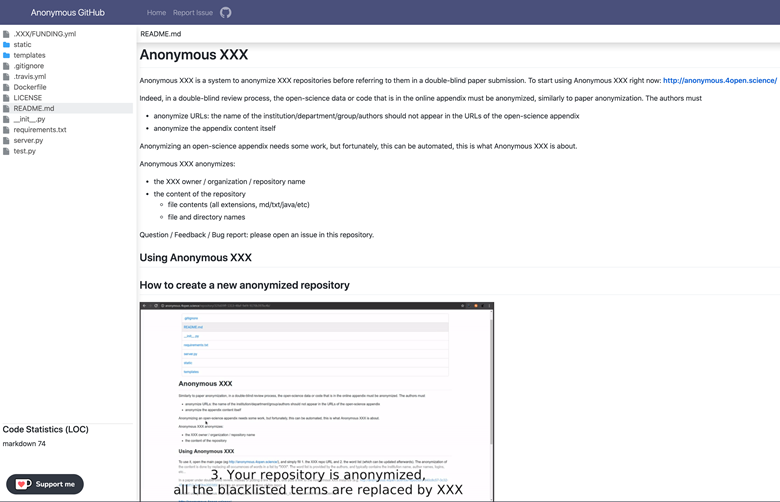
Anonymous Github anonymizes the following:
- Github repository owner, organization, and name
- File and directory names
- File contents of all extensions, including markdown, text, Java, etc.
Usage
Public instance
https://anonymous.4open.science/
CLI
This CLI tool allows you to anonymize your GitHub repositories locally, generating an anonymized zip file based on your configuration settings.
# Install the Anonymous GitHub CLI tool
npm install -g @tdurieux/anonymous_github

# Run the Anonymous GitHub CLI tool
anonymous_github
Own instance
1. Clone the repository
git clone https://github.com/tdurieux/anonymous_github/
cd anonymous_github
npm i
2. Configure the GitHub token
Create a .env file with the following contents:
GITHUB_TOKEN=<GITHUB_TOKEN>
CLIENT_ID=<CLIENT_ID>
CLIENT_SECRET=<CLIENT_SECRET>
PORT=5000
DB_USERNAME=
DB_PASSWORD=
AUTH_CALLBACK=http://localhost:5000/github/auth,
GITHUB_TOKENcan be generated here: https://github.com/settings/tokens/new withreposcope.CLIENT_IDandCLIENT_SECRETare the tokens are generated when you create a new GitHub app https://github.com/settings/applications/new.- The callback of the GitHub app needs to be defined as
https://<host>/github/auth(the same as defined in AUTH_CALLBACK).
3. Start Anonymous Github server
docker-compose up -d
4. Go to Anonymous Github
Go to http://localhost:5000. By default, Anonymous Github uses port 5000. It can be changed in docker-compose.yml. I would recommand to put Anonymous GitHub behind ngnix to handle the https certificates.
What is the scope of anonymization?
In double-anonymous peer-review, the boundary of anonymization is the paper plus its online appendix, and only this, it's not the whole world. Googling any part of the paper or the online appendix can be considered as a deliberate attempt to break anonymity (explanation)
How does it work?
Anonymous Github either downloads the complete repository and anonymizes the content of the file or proxies the request to GitHub. In both cases, the original and anonymized versions of the file are cached on the server.
Related tools
gitmask is a tool to anonymously contribute to a Github repository.
blind-reviews is a browser add-on that enables a person reviewing a GitHub pull request to hide identifying information about the person submitting it.