 0fb37ad792
* feat: add editable DocTypes To Delete list with import/export

Add user control over transaction deletion with reviewable and reusable deletion templates.

- New "DocTypes To Delete" table allows users to review and customize what will be deleted before submission
- Import/Export CSV templates for reusability across environments
- Company field rule: only filter by company if field is specifically named "company", otherwise delete all records
- Child tables (istable=1) automatically excluded from selection
- "Remove Zero Counts" helper button to clean up list
- Backward compatible with existing deletion records

* refactor: improve Transaction Deletion Record code quality

- Remove unnecessary chatty comments from AI-generated code
- Add concise docstrings to all new methods
- Remove redundant @frappe.whitelist() decorators from internal methods
- Improve CSV import validation (header check, child table filtering)
- Add better error feedback with consolidated skip messages
- Reorder form fields: To Delete list now appears before Excluded list
- Add conditional visibility for Summary table (legacy records only)
- Improve architectural clarity: single API entry point per feature

Technical improvements:
- export_to_delete_template_method and import_to_delete_template_method
  are now internal helpers without whitelist decorators
- CSV import now validates format and provides detailed skip reasons
- Summary table only shows for submitted records without To Delete list
- Maintains backward compatibility for existing deletion records

* fix: field order

* test: fix broken tests and add new ones

* fix: adapt create_transaction_deletion_request

* test: fix assertRaises trigger

* fix: conditionally execute Transaction Deletion pre-tasks based on selected DocTypes

* refactor: replace boolean task flags with status fields

* fix: remove UI comment

* fix: don't allow virtual doctype selection and improve protected Doctype List

* fix: replace outdated frappe.db.sql by frappe.qb

* feat: add support for multiple company fields

* fix: autofill comapny field, add docstrings, filter for company_field

* fix: add edge case handling for update_naming_series and add tests for prefix extraction

* fix: use redis for running deletion validation, check per doctype instead of company

ERPNext
Powerful, Intuitive and Open-Source ERP




ERPNext
100% Open-Source ERP system to help you run your business.
Motivation
Running a business is a complex task - handling invoices, tracking stock, managing personnel and even more ad-hoc activities. In a market where software is sold separately to manage each of these tasks, ERPNext does all of the above and more, for free.
Key Features
- Accounting: All the tools you need to manage cash flow in one place, right from recording transactions to summarizing and analyzing financial reports.
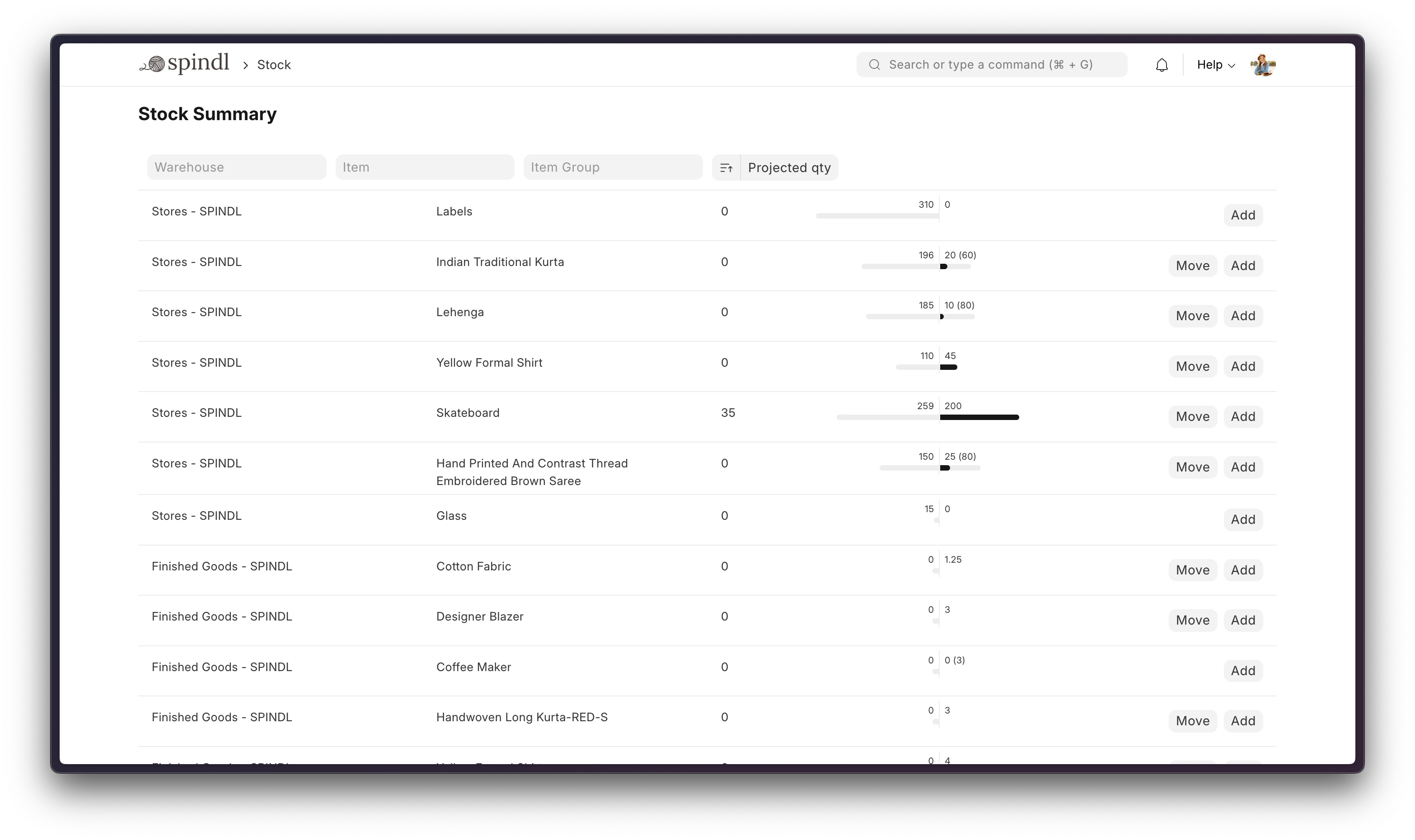
- Order Management: Track inventory levels, replenish stock, and manage sales orders, customers, suppliers, shipments, deliverables, and order fulfillment.
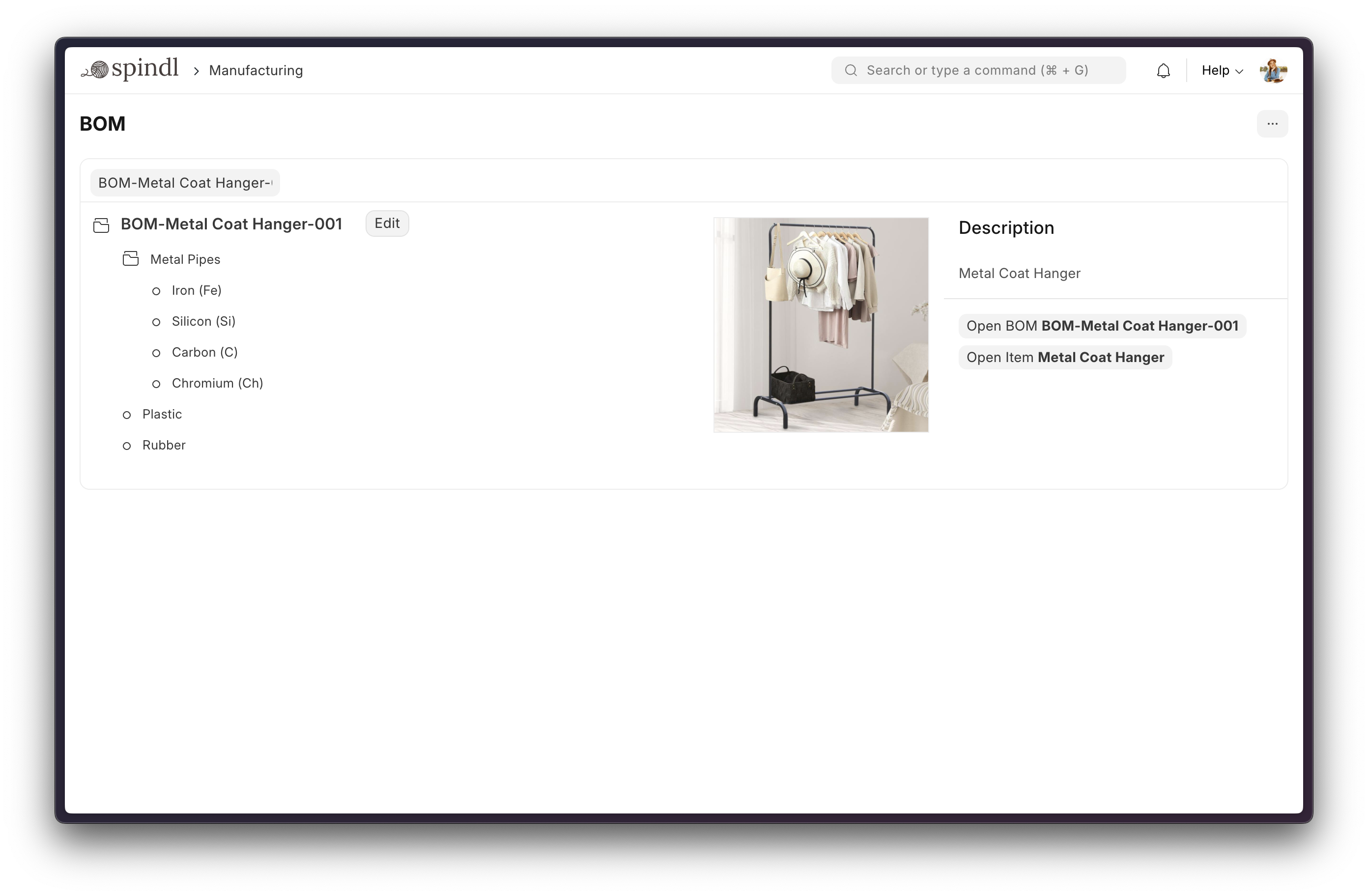
- Manufacturing: Simplifies the production cycle, helps track material consumption, exhibits capacity planning, handles subcontracting, and more!
- Asset Management: From purchase to perishment, IT infrastructure to equipment. Cover every branch of your organization, all in one centralized system.
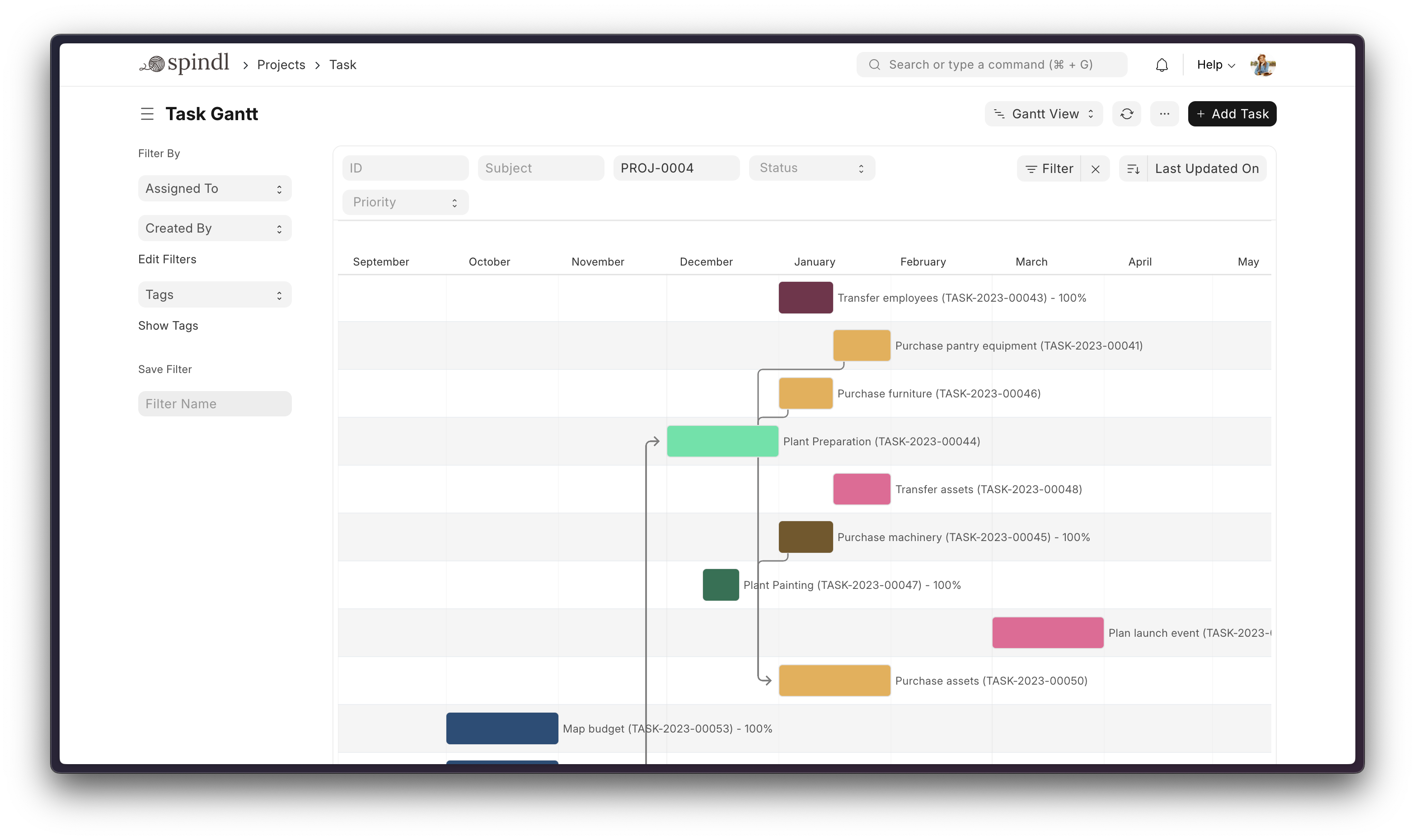
- Projects: Delivery both internal and external Projects on time, budget and Profitability. Track tasks, timesheets, and issues by project.
More

Under the Hood
-
Frappe Framework: A full-stack web application framework written in Python and Javascript. The framework provides a robust foundation for building web applications, including a database abstraction layer, user authentication, and a REST API.
-
Frappe UI: A Vue-based UI library, to provide a modern user interface. The Frappe UI library provides a variety of components that can be used to build single-page applications on top of the Frappe Framework.
Production Setup
Managed Hosting
You can try Frappe Cloud, a simple, user-friendly and sophisticated open-source platform to host Frappe applications with peace of mind.
It takes care of installation, setup, upgrades, monitoring, maintenance and support of your Frappe deployments. It is a fully featured developer platform with an ability to manage and control multiple Frappe deployments.

Self-Hosted
Docker
Prerequisites: docker, docker-compose, git. Refer Docker Documentation for more details on Docker setup.
Run following commands:
git clone https://github.com/frappe/frappe_docker
cd frappe_docker
docker compose -f pwd.yml up -d
After a couple of minutes, site should be accessible on your localhost port: 8080. Use below default login credentials to access the site.
- Username: Administrator
- Password: admin
See Frappe Docker for ARM based docker setup.
Development Setup
Manual Install
The Easy Way: our install script for bench will install all dependencies (e.g. MariaDB). See https://github.com/frappe/bench for more details.
New passwords will be created for the ERPNext "Administrator" user, the MariaDB root user, and the frappe user (the script displays the passwords and saves them to ~/frappe_passwords.txt).
Local
To setup the repository locally follow the steps mentioned below:
-
Setup bench by following the Installation Steps and start the server
bench start -
In a separate terminal window, run the following commands:
# Create a new site bench new-site erpnext.localhost -
Get the ERPNext app and install it
# Get the ERPNext app bench get-app https://github.com/frappe/erpnext # Install the app bench --site erpnext.localhost install-app erpnext -
Open the URL
http://erpnext.localhost:8000/appin your browser, you should see the app running
Learning and community
- Frappe School - Learn Frappe Framework and ERPNext from the various courses by the maintainers or from the community.
- Official documentation - Extensive documentation for ERPNext.
- Discussion Forum - Engage with community of ERPNext users and service providers.
- Telegram Group - Get instant help from huge community of users.
Contributing
Logo and Trademark Policy
Please read our Logo and Trademark Policy.
