mirror of
https://github.com/facefusion/facefusion-labs.git
synced 2026-08-31 00:10:39 +02:00
 Henry Ruhs
475b8b1538
Henry Ruhs
475b8b1538
* Add gradient value clip

* Add gradient clip to config

* Fix HifiFace in preview

* Fix HifiFace in preview

* Fix HifiFace in preview

* Adjust save top
CrossFace
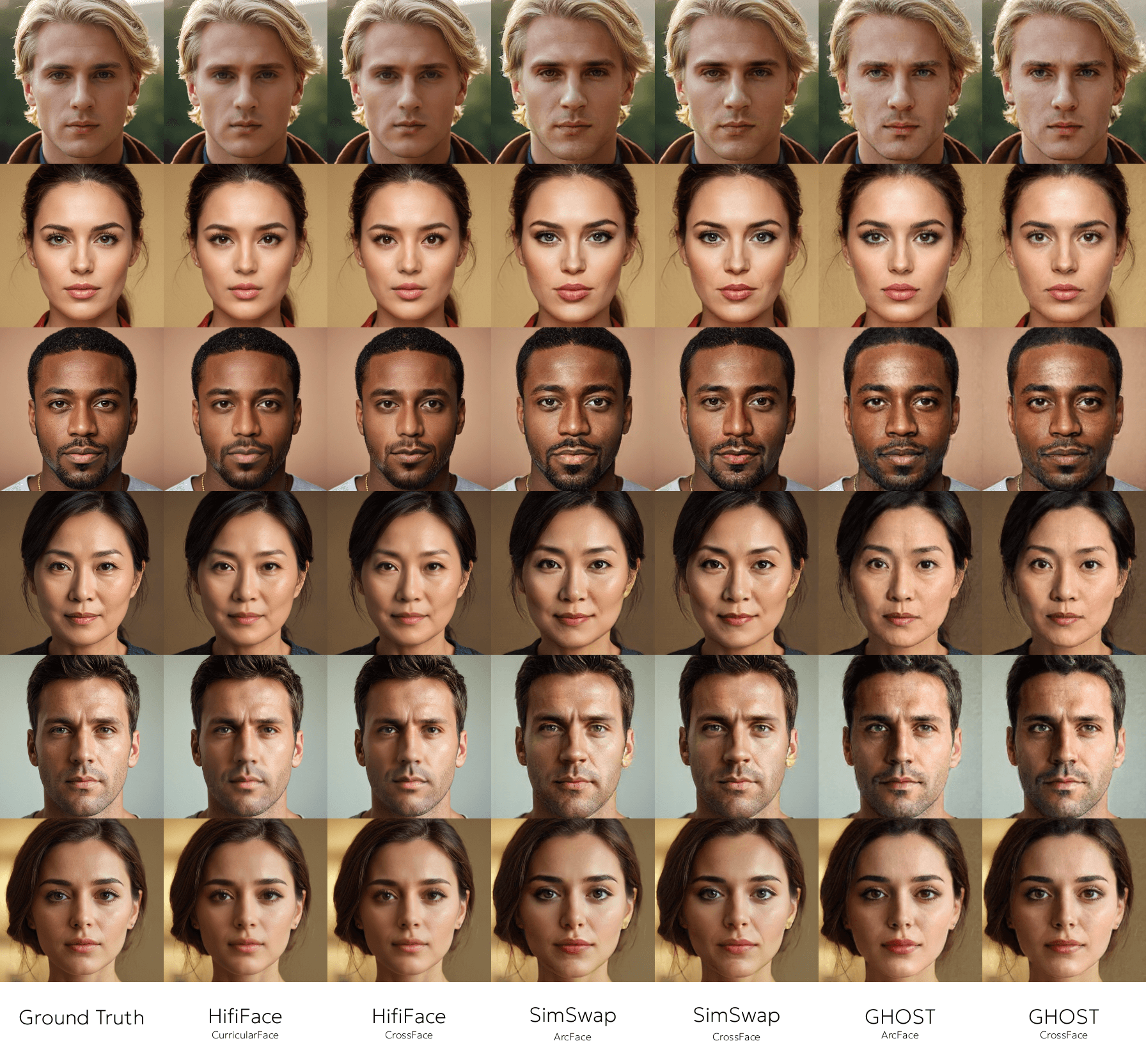
Seamless face embedding across various models.

Preview
Installation
pip install -r requirements.txt
Setup
This config.ini utilizes the MegaFace dataset to train the CrossFace model for SimSwap.
[training.dataset]
file_pattern = .datasets/megaface/**/*.jpg
[training.loader]
batch_size = 256
num_workers = 8
split_ratio = 0.95
[training.model]
source_path = .models/arcface_w600k_r50.pt
target_path = .models/arcface_simswap.pt
[training.trainer]
learning_rate = 0.001
max_epochs = 4096
strategy = auto
precision = 16-mixed
logger_path = .logs
logger_name = crossface_simswap
[training.output]
directory_path = .outputs
file_pattern = crossface_simswap_{epoch}_{step}
resume_path = .outputs/last.ckpt
[exporting]
directory_path = .exports
source_path = .outputs/last.ckpt
target_path = .exports/crossface_simswap.onnx
ir_version = 10
opset_version = 15
Training
Train the model.
python train.py
Launch the TensorBoard to monitor the training.
tensorboard --logdir=.logs
Exporting
Export the model to ONNX.
python export.py